

PDF Editor: Sign Offline
Robert Pinl · Productivity
Independent analytics for this App Store listing. AppTracker is not affiliated with Robert Pinl.
Chart standing · US
What changed · US
Listing changes AppTracker has observed for this app in this storefront — new versions, price moves, rating shifts, and store copy.
This update delivers a smoother, faster, and more reliable experience with several bug fixes and performance enhancements.
Ratings breakdown · US
The star breakdown behind this app's rating in this storefront.
Screenshots



About
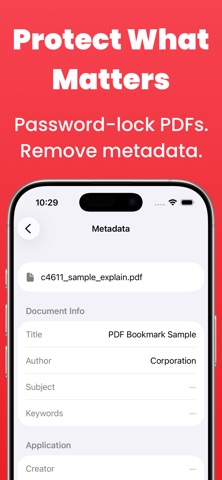
Sign and edit PDFs on your iPhone without uploading them. Works offline. These tools require an In-App Purchase. Online PDF editors send your file to a server. This one never does. You merge, split, sign, scan, and lock documents on your iPhone or iPad. No account. No internet required. Built for contracts, invoices, and files you would rather keep private. Pro unlocks: • Sign with your finger or Apple Pencil, then reuse the signature later • Merge PDFs and drag pages into order • Split a file at any page • Reorder, rotate, or delete pages • Scan paper into a PDF with the camera • Build a PDF from photos, or export pages as JPG or PNG • Password-protect a file and limit printing or copying • Remove a password you already know • Strip hidden metadata before you share a file What stays on your phone • Works in airplane mode • No cloud uploads • No ads • No analytics • Nothing leaves your device Terms of Use: https://www.apple.com/legal/internet-services/itunes/dev/stdeula/
What's new · 2.2.1
This update delivers a smoother, faster, and more reliable experience with several bug fixes and performance enhancements.
Details