

PDF Scan & Summarize
Bjorn Jenssen · Productivity
Independent analytics for this App Store listing. AppTracker is not affiliated with Bjorn Jenssen.
Chart standing · US
What changed · US
Listing changes AppTracker has observed for this app in this storefront — new versions, price moves, rating shifts, and store copy.
Scan to PDF 1.5 gives you more ways to get your documents where they need to go. • Share your way: choose a smaller file for email and WhatsApp, share pages as images, or save them straight to Photos. • Password protection: lock a PDF so it asks for a password before it opens. Ideal for IDs, contracts and medical letters. • ID card mode: scan the front and back of a card and combine them on one page. • Open PDFs from anywhere: use "Open in Scan to PDF" from Files, Mail or WhatsApp, or import from Files inside the app. • Merge PDFs: combine two documents into one with a long press. • Better text recognition: searchable PDFs, summaries and file names now follow your device language. • Refined dialogs and buttons throughout, plus fixes and polish.
Screenshots



About
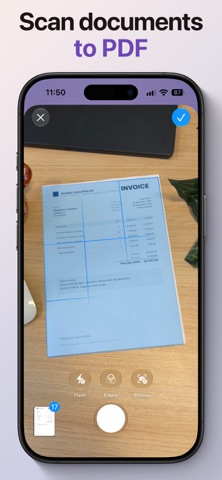
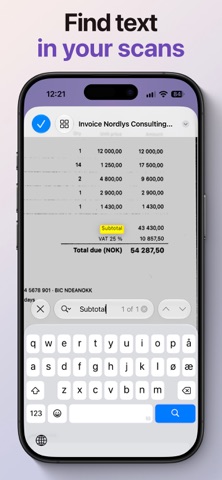
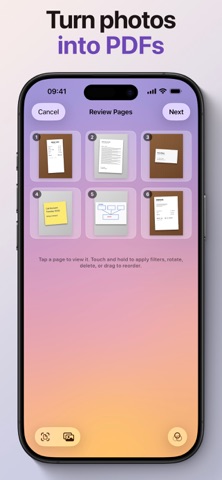
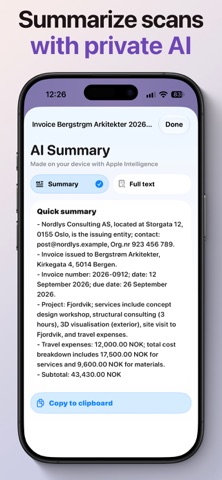
A modern scanner with no clutter. Scan to PDF turns paper into clean, searchable PDFs in seconds, and stays out of your way. No account. No ads. No cloud. Your documents never leave your phone. ON-DEVICE INTELLIGENCE Apple Intelligence runs entirely on your iPhone, so nothing is uploaded anywhere. • Files name themselves. Scan an invoice and the app suggests a name before you have typed a letter. • Ask for a summary of any document and read the key points instead of the whole page. • Every page gets an invisible text layer, so you can search inside your scans in the app, in Files and in Spotlight. SCAN • Automatic edge detection and perspective correction. • Filters for documents, receipts and photos, applied per page or to all. • ID card mode puts the front and back of a card on one page. • Turn photos from your library into a PDF, up to 25 at a time. EDIT • Rotate, delete and reorder pages, or add more pages to a saved PDF. • Sign with your finger and add text using the built-in markup tools. • Merge two PDFs into one. SHARE • Send to Mail, Messages, WhatsApp, Files, AirDrop or anywhere else. • Choose a smaller file for email, and see the new size before you send. • Lock a PDF with a password so it asks before it opens. • Share pages as images, or save them straight to Photos. ORGANIZE • Folders, search and sorting keep hundreds of scans findable. • Open PDFs from other apps with "Open in Scan to PDF". DESIGNED FOR TODAY'S IPHONE Built with Liquid Glass and the latest iOS technologies, so it feels like part of your phone rather than a port from somewhere else. Terms of Use: https://www.apple.com/legal/internet-services/itunes/dev/stdeula/
What's new · 1.5
Scan to PDF 1.5 gives you more ways to get your documents where they need to go. • Share your way: choose a smaller file for email and WhatsApp, share pages as images, or save them straight to Photos. • Password protection: lock a PDF so it asks for a password before it opens. Ideal for IDs, contracts and medical letters. • ID card mode: scan the front and back of a card and combine them on one page. • Open PDFs from anywhere: use "Open in Scan to PDF" from Files, Mail or WhatsApp, or import from Files inside the app. • Merge PDFs: combine two documents into one with a long press. • Better text recognition: searchable PDFs, summaries and file names now follow your device language. • Refined dialogs and buttons throughout, plus fixes and polish.
Details