

Optivo Scheduler
Alex Stretton · Productivity
Independent analytics for this App Store listing. AppTracker is not affiliated with Alex Stretton.
Chart standing · US
Ratings breakdown · US
The star breakdown behind this app's rating in this storefront.
Screenshots


About
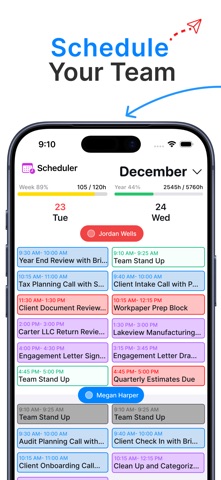
Optivo turns your scheduling spreadsheet into a real command center. Import your existing roster in seconds, then manage your team's schedule and capacity in one fast, professional-grade interface, no more juggling scattered tabs and tools. Real-Time Sync Eliminate double bookings and scheduling conflicts. Optivo integrates with Microsoft Outlook and Google Calendar, keeping work and personal schedules accurate across devices. Changes sync in real time so your whole team sees the same availability, while private events stay private and conflict detection warns you of overlaps before you assign a task. Smart Capacity & Time Tracking Prevent burnout and keep your team focused on what matters. Visual utilization tools track workload with color-coded bars that show exactly who is overbooked. Set weekly hour limits per employee and get automatic alerts when someone hits their capacity threshold. Enterprise-Grade Control Maintain full control over your data with granular permissions. Assign Manager, Scheduler, and View-Only roles so the right people have the right access. Optivo protects sensitive client data while keeping your team aligned. Existing teams log in instantly. New teams can register a free workspace on our website to get started.
What's new · 1.1
New scheduling UI and bug fixes.
Details