
Chart standing · US
What changed · US
Listing changes AppTracker has observed for this app in this storefront — new versions, price moves, rating shifts, and store copy.
Price & rating history · US
Reconstructed from the listing changes AppTracker has observed in this storefront, so each line starts at the first change on record.
Average rating
Ratings breakdown · US
The star breakdown behind this app's rating in this storefront.
Screenshots




About
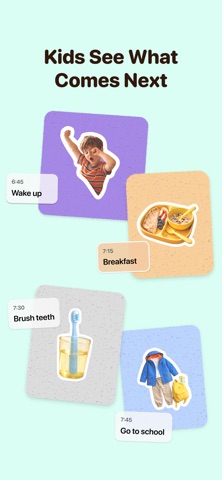
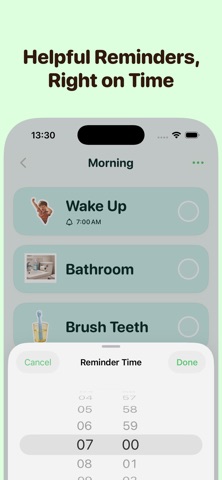
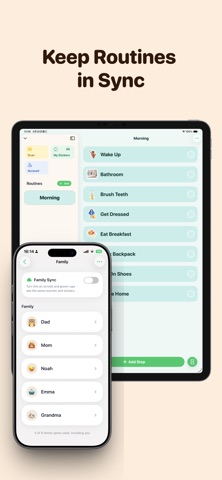
Transitions can be the hardest part of the day. KidCue is a visual schedule and routine planner that helps kids see what’s happening now, what comes next, and how long each step will take. Create familiar routines using real-life photos, step-by-step activities, reminders, and a visual timer. KidCue gives everyday routines a clear visual place to live—so families can spend less time repeating prompts and make transitions feel calmer and easier to follow. KidCue is designed for families who use visual supports, including children with ADHD, autism, executive function challenges, time blindness, or anyone who prefers a clear step-by-step routine. --- WHAT YOU CAN DO WITH KIDCUE • Build visual schedules and daily routines • Create first-then routines and step-by-step activities • Use real-life photos as familiar visual cues • Set reminders for important moments • Use a visual timer to make time easier to understand • Customize routines with colorful stickers • Print, export, share, and sync routines with Premium --- ROUTINES KIDCUE CAN SUPPORT • Morning and bedtime routines • Chores and responsibilities • Getting ready for school • Leaving home and returning home • Screen-time transitions • Homework and focus time • Appointments and outings • Unexpected changes in plans --- WHY VISUAL ROUTINES HELP Some routines are easier when they can be seen. A visual schedule can make the next step clearer, reduce uncertainty, and help kids move through everyday activities with greater independence. Instead of keeping every reminder in your head, KidCue gives the routine a simple visual place that kids and caregivers can follow together. --- START FOR FREE • Create visual schedules • Add step-by-step activities and photo cues • Use the visual timer • Start without creating an account • Enjoy an ad-free experience --- UPGRADE TO KIDCUE PREMIUM • Create more routines and activities • Add additional child profiles • Unlock more stickers and customization • Sync routines across iPhone and iPad with iCloud • Print, export, and share routines KidCue is designed to be simple, visual, and practical for real everyday life. Download free. Upgrade when you need more. --- SUBSCRIPTION INFORMATION KidCue offers optional auto-renewable Monthly and Yearly subscriptions. • Payment will be charged to your Apple ID when you confirm your purchase • Subscriptions renew automatically unless canceled at least 24 hours before the end of the current period • You can manage or cancel your subscription in your Apple ID settings • Pricing may vary by country or region --- LEGAL Terms of Use: https://www.kidcue.app/terms Privacy Policy: https://www.kidcue.app/privacy
What's new · 1.5.2
• Family sharing is now easier to set up, so everyone stays in sync. • Creating routines is now faster and more intuitive. • Added Emoji as visual cues to make routines more engaging for kids. • Fixed bugs and improved overall stability and performance.•
Details