

SnapFile: AI Document Scanner
BlueCrest Group, LLC · Productivity
Independent analytics for this App Store listing. AppTracker is not affiliated with BlueCrest Group, LLC.
Chart standing · US
What changed · US
Listing changes AppTracker has observed for this app in this storefront — new versions, price moves, rating shifts, and store copy.
Improved scanning flow, better bookkeeping and accounting sync, and removal of Sage.
Ratings breakdown · US
The star breakdown behind this app's rating in this storefront.
In-app purchases · US
What this app sells inside itself, grouped by kind and priced for this storefront.
Screenshots


About
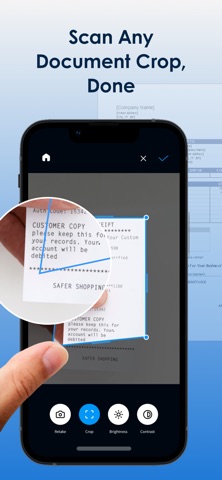
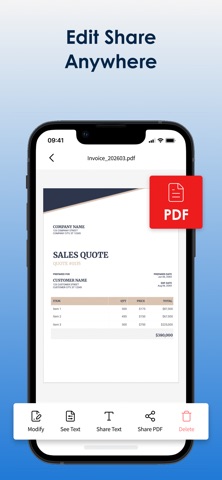
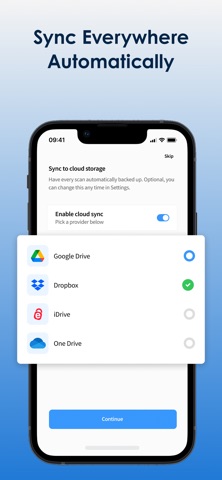
Scan any document. AI files it for you: automatically. SnapFile uses artificial intelligence to scan, classify, and organize your receipts, invoices, contracts, medical records, and tax forms into the right folder across Google Drive, OneDrive, Dropbox, and iCloud Drive. NO MORE MANUAL ORGANIZING Point your camera at any document. SnapFile captures a clean scan, reads what it is, and files it exactly where it belongs based on your existing folder structure. Medical bill from Dr. Chen? Filed under Medical/Dr. Chen/2025. Office supply receipt? Expenses/2025/Office Supplies. One tap. Done. BUILT-IN EXPENSE TRACKING Connect QuickBooks, Xero, or Sage. Scan a receipt, and SnapFile extracts the vendor, amount, date, and category, then syncs it directly to your accounting software with the receipt attached. No manual data entry. No shoebox at tax time. Freelancers and small business owners save hours every month. FIND ANY DOCUMENT INSTANTLY Search by content, vendor, date, amount, document type, or custom tag. SnapFile indexes every scan, so nothing stays lost. WHAT SNAPFILE DOES • Classifies receipts, invoices, contracts, tax forms, medical records, warranties, insurance docs, and more • Files to Google Drive, OneDrive, Dropbox, and iCloud Drive simultaneously • Syncs expenses to QuickBooks, Xero, and Sage automatically • Scans offline and uploads when you reconnect • Exports searchable PDFs with full text layer • Detects duplicates before they pile up • Authenticates via secure OAuth: your passwords are never stored YOUR DATA STAYS YOURS Documents go directly to your cloud storage. SnapFile never stores your files on our servers. All scans go directly to your chosen cloud storage provider (Google Drive, OneDrive, Dropbox, or iCloud Drive). We collect only the minimum account data required to manage your subscription: your email address and subscription status. Document content, filenames, and extracted text are processed on-device or passed directly to your cloud provider and are never retained by SnapFile. Camera and storage access are used solely to capture and file your documents. We do not sell, share, or monetize your data in any form. Full details are available in our Privacy Policy: https://snapfileapp.com/privacy Support: https://snapfileapp.com/support; support@snapfileapp.com Terms: https://snapfileapp.com/terms FREE TO START 20 free scans per month. Upgrade to Premium for unlimited scanning, accounting sync, and priority support. $9.99 monthly or $79.99 annually. SUBSCRIPTION TERMS SnapFile Premium is available as a monthly or annual auto-renewing subscription. Payment is charged to your Apple ID account at confirmation of purchase. Your subscription automatically renews unless cancelled at least 24 hours before the end of the current billing period. You can manage or cancel your subscription at any time in your iPhone Settings under Subscriptions. No cancellation of the current active subscription period is permitted. Free trial will convert to a paid subscription unless cancelled before the trial ends.
What's new · 2.3.2
Improved scanning flow, better bookkeeping and accounting sync, and removal of Sage.
Details