

HachiCalendar
加明 严 · Productivity
Independent analytics for this App Store listing. AppTracker is not affiliated with 加明 严.
Chart standing · US
What changed · US
Listing changes AppTracker has observed for this app in this storefront — new versions, price moves, rating shifts, and store copy.
Ratings breakdown · US
The star breakdown behind this app's rating in this storefront.
In-app purchases · US
What this app sells inside itself, grouped by kind and priced for this storefront.
Screenshots



Similar apps
Competitors and close alternatives, as estimated by AppTracker.


About
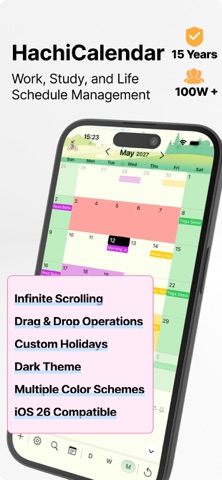
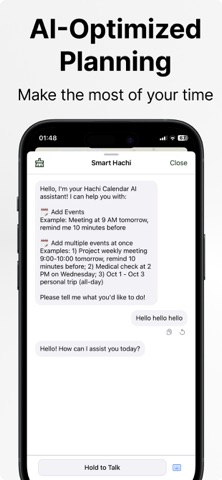
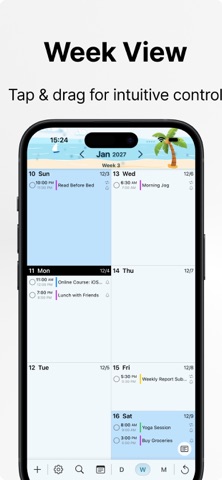
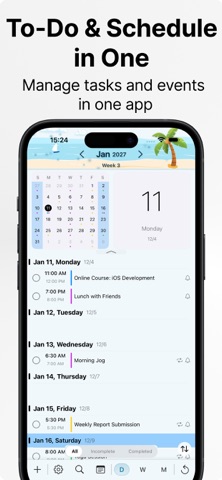
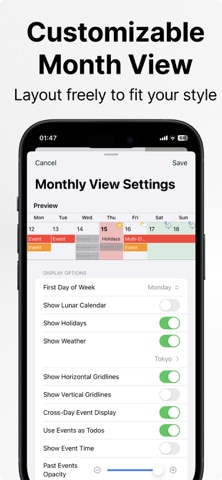
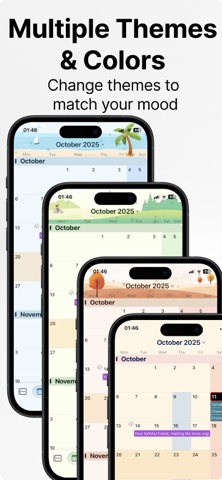
HachiCalendar has been online for 15 years and is a comprehensive productivity tool covering study, work, and daily life. This version provides the same features as the Pro version (with ads, removable): 1. AI Smart Assistant: Supports fast voice and text input as well as schedule analysis, and AI features can be hidden from the toolbar as needed. 2. Multi-view System: Includes day, week, month, and year views, each with in-depth customization options. 3. Quick Gestures: Supports single tap to select, double tap to jump, long press for a multifunction menu, and swipe to switch months. 4. Drag & Drop Operations: In month view, long-press and drag events to easily move or delete them. 5. Custom Date Markers: Long-press a date to set background colors for clearly distinguishing rest days, overtime, classes, and more. 6. Unified Task Management: Includes Todo mode to seamlessly integrate schedules and to-do items. 7. Image Attachments: Allows adding images to events, with thumbnails displayed in month view. 8. Flexible Export: Supports exporting schedules as images by date or calendar, or sharing them via email. 9. Custom Colors: Set personalized colors for different events with convenient color management. 10. Multiple Themes: Built-in seasonal, holiday, and weather themes to meet diverse aesthetic preferences.
What's new · 11.3.0
1. Added new features: Reminders, clearing recurring event filters, event trash, and date calculation can now be shown from Menu Settings. 2. After long-pressing the menu, voice input can open menu features. For example: Help me open Reminders. 3. Search now supports multiple keywords separated by commas. 4. Improved the experience based on user feedback and fixed several issues.
Details