
Chart standing · US
What changed · US
Listing changes AppTracker has observed for this app in this storefront — new versions, price moves, rating shifts, and store copy.
Fixes a bug with the RH/LH display, and with getting started videos not stopping audio stream when navigating to other screens.
Price & rating history · US
Reconstructed from the listing changes AppTracker has observed in this storefront, so each line starts at the first change on record.
Average rating
Ratings breakdown · US
The star breakdown behind this app's rating in this storefront.
Screenshots




About
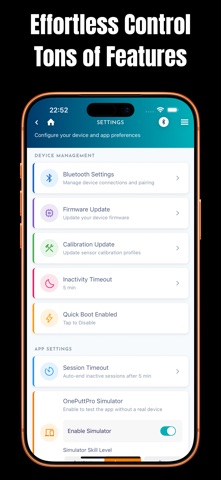
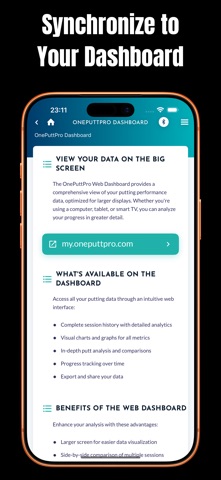
The OnePuttPro system is designed to help golfers of all levels improve consistency and lower scores by analyzing key metrics of their putting stroke. Real-Time Feedback: Simply attach the OnePuttPro device to your putter shaft (just below the grip) and tap the app to connect the bluetooth. Then start putting. It transmits six key metrics instantly. Detailed Metrics: The app displays specific data points for each putt, allowing you to identify exact areas for improvement. Metrics include Loft Angle, Putting Tempo (backstroke vs. forward stroke duration), Face Angle at Impact, Lie Angle, Acceleration at Impact, and Impact off Center Analysis and Guidance: The app doesn't just provide numbers; it offers tailored tips and "Putting 101" guidance for each metric based on your results, helping you understand what adjustments you need to make. Progress Tracking: You can review past practice sessions and track your progress over time, as the data syncs to a web-based dashboard for more in-depth analysis. Versatile Practice: The system can be used on or off the course, in real-world conditions or indoors Download the app and pair it with the OnePuttPro Smart Putting Device to unlock powerful features: track every stroke, analyze your technique instantly, and monitor progress over time. Refine your skills, build confidence, and start sinking more putts. Get the OnePuttPro Smart Putting Aid Device at https://oneputtpro.com/shop/oneputtpro
What's new · 1.31.2
Fixes a bug with the RH/LH display, and with getting started videos not stopping audio stream when navigating to other screens.
Details