

STEP Viewer
Smart Cube Labs Co., Ltd. · Productivity
Independent analytics for this App Store listing. AppTracker is not affiliated with Smart Cube Labs Co., Ltd.
Chart standing · US
What changed · US
Listing changes AppTracker has observed for this app in this storefront — new versions, price moves, rating shifts, and store copy.
• Select parts — pick the parts you want and highlight them in color • Measure the size of just the parts you selected • Fixed "Save as GLB" doing nothing on iOS • Improved launch stability
Ratings breakdown · US
The star breakdown behind this app's rating in this storefront.
Screenshots
About
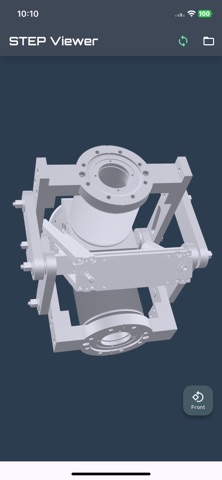
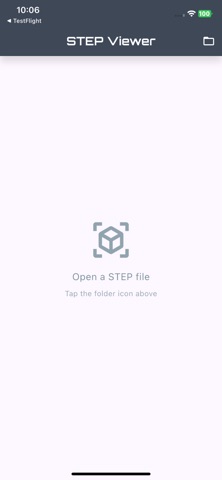
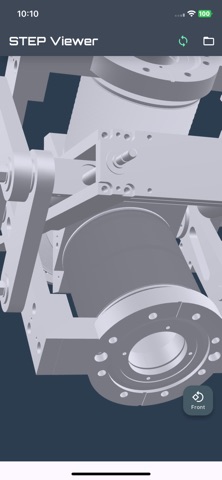
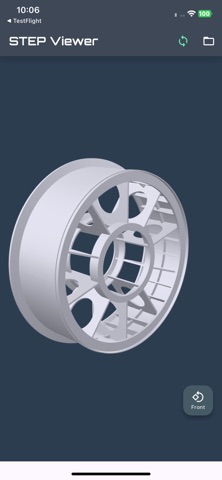
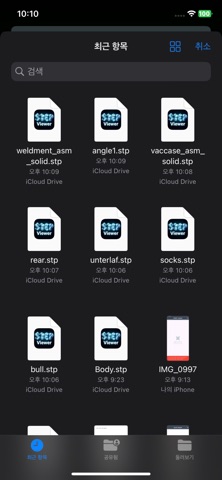
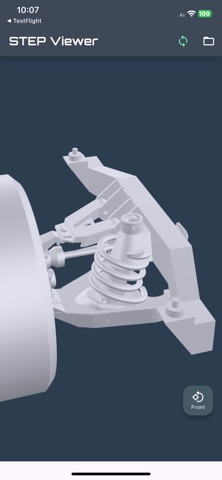
STEP Viewer opens STEP (.step, .stp) CAD files in 3D on your phone. No desktop CAD software needed. Everything is free. There are no in-app purchases. Credits only skip the ad; without credits you can still open every file after watching a short ad. Key features * Open .step and .stp files straight from your file manager - just tap the file * Measure your model: a bounding box with all three side lengths, in mm or m * Six fixed views (front, right, back, left, top, bottom), plus pinch to zoom, pan and rotate * Save the converted model as GLB whenever you need it * Large files show the estimated time and memory before conversion starts, and progress while it runs * If a file cannot be opened, the app tells you why instead of failing silently * Available in 12 languages, following your device settings Supported formats * Input: .stp, .step (STEP AP203, AP214) * Output: .glb (glTF Binary) How to use 1. Tap a .step file in your file manager, or open the app and tap the folder icon 2. Wait for the conversion - large files show progress and an estimate 3. Drag to rotate, pinch to zoom, tap the view button to switch sides License This app uses Open CASCADE Technology (LGPL-2.1). https://www.opencascade.com For questions or bug reports, please contact us by email.
What's new · 1.2.2
• Select parts — pick the parts you want and highlight them in color • Measure the size of just the parts you selected • Fixed "Save as GLB" doing nothing on iOS • Improved launch stability
Details