

DualCapture: Dual Camera + PiP
Block Browser INC · Photo & Video
Independent analytics for this App Store listing. AppTracker is not affiliated with Block Browser INC.
Chart standing · US
What changed · US
Listing changes AppTracker has observed for this app in this storefront — new versions, price moves, rating shifts, and store copy.
Recordings are never lost anymore. Videos now save in the right orientation. Recording is smoother and more reliable. Bug fixes and improvements.
Price & rating history · US
Reconstructed from the listing changes AppTracker has observed in this storefront. A field is charted once it has changed more than once, and each line starts at the value it moved from.
Average rating · ★ 4.51 now · 8 changes on record
Ratings breakdown · US
The star breakdown behind this app's rating in this storefront.
Screenshots
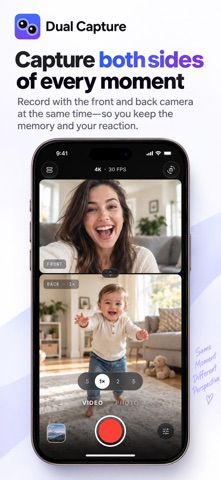
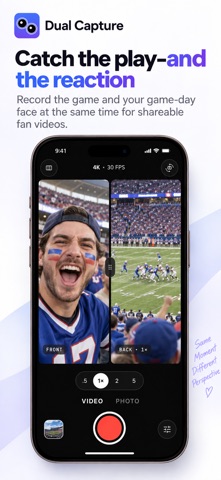

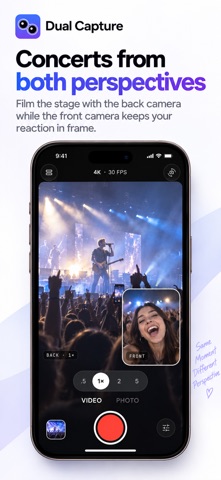
About
Record your face and the scene at the same time. One tap saves five videos: front, back, merged, portrait and widescreen. Rated 4.5 stars. No watermark. Unlimited recording length. WHY DUALCAPTURE Other dual camera apps give you one video. DualCapture gives you five from a single take: • Front camera: your face and your reaction • Back camera: the scene in front of you • Merged: both cameras in one frame • Portrait (9:16): ready for Stories, Reels and Shorts • Widescreen (16:9): full-screen for YouTube and TV Pick the version you love. Edit any of them. Post anywhere. PICTURE IN PICTURE Float your selfie over the main shot in any corner. Made for vlogs, reaction clips and unboxings. SPLIT SCREEN Side by side or top and bottom. Use it for before-and-after shots, interviews, or the view from the passenger seat. DUAL CAMERA PHOTOS Capture both cameras as separate photos with one tap. Get the selfie and the view. PRO QUALITY, ZERO SETUP • Up to 4K at 60fps • Clean stereo audio • No watermark on any export • No time limit on recordings • Everything saves straight to your Photos library HOW IT WORKS 1. Open DualCapture and pick a layout 2. Tap record once 3. Tap stop. Five videos are already in your library MADE FOR Vloggers, creators, travelers, parents, couples, teachers and anyone who has ever been left out of their own video. Capture the reaction and the moment in one authentic take. WHAT PEOPLE SAY "The best dual camera app I've used, and I tested several." "Records and saves each video as individual front and back clips, plus a combined dual view." "Great for date nights. Catch us and the food at the same time." FREE TO START Recording and saving are free. Premium adds 4K, every layout and unlimited exports. Weekly, monthly, yearly or a one-time lifetime purchase. Restore purchases any time from Settings. Questions or a lost purchase? Email contact@scriptcam.app and we reply within one business day. Requires iOS 18 or later and an iPhone with multi-camera support (iPhone 15 and newer). Terms of Use (EULA): https://www.apple.com/legal/internet-services/itunes/dev/stdeula/
What's new · 5.2
Recordings are never lost anymore. Videos now save in the right orientation. Recording is smoother and more reliable. Bug fixes and improvements.
Details