

Export Reminders: CSV/PDF/Docx
Oleksandr Khomin · Utilities
Independent analytics for this App Store listing. AppTracker is not affiliated with Oleksandr Khomin.
Chart standing · US
Ratings breakdown · US
The star breakdown behind this app's rating in this storefront.
Screenshots



About
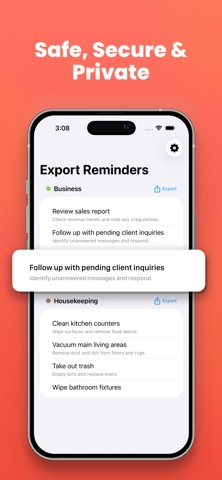
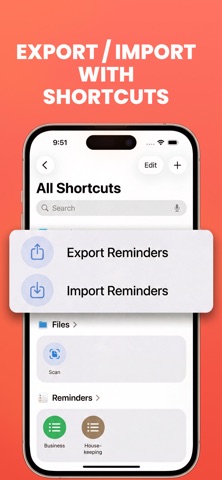
Your Apple Reminders, finally exportable. Save, share, or back up all your tasks — no account, no login, no fuss. Your tasks are yours — but getting them out has never been easy. Until now. Export Reminders fills that gap — the tool that should have always existed. Pick your format. Pick your lists. Export in seconds. EXPORT TO 5 FORMATS - CSV — open in Excel, Numbers, or any spreadsheet - PDF — print or archive your tasks - Excel (.xlsx) — full spreadsheet with formatting - Word (.docx) — clean document layout - Email — share a polished task list instantly IMPORT FROM CSV Bring reminders back in — or migrate tasks from other apps. Smart column mapping handles the heavy lifting. FILTER & SORT BEFORE YOU EXPORT - Include or exclude completed reminders - Export from all lists or just one - Filter by date range (7 days, 30 days, custom, and more) - Sort by due date, title, priority, or creation date - Expand recurring reminders into individual occurrences PREVIEW BEFORE YOU EXPORT See exactly what your export will look like — in CSV, PDF, Excel, Word, or email view — before saving or sharing. SIRI SHORTCUTS SUPPORT Automate your exports with App Intents. Trigger a full export to any format from Shortcuts — no app launch required. Connect to your AI apps, automation workflows, or cloud storage. PRIVATE BY DEFAULT No account required. No data leaves your device. Your reminders stay yours. FREE TO TRY Export and import up to 3 times per day for free. Upgrade to Pro for unlimited exports, imports, and full format access. Loved by users who just want their data. Terms of Use (EULA): https://www.apple.com/legal/internet-services/itunes/dev/stdeula/
What's new · 1.8
Added "Export All" to export every reminder list in a single tap. Added a Date Range filter to export only reminders due within a chosen period. Various improvements and bug fixes.
Details