

Signature Maker Sign PDF
TWINO Holding SIA · Productivity
Independent analytics for this App Store listing. AppTracker is not affiliated with TWINO Holding SIA.
Chart standing · US
Screenshots


About
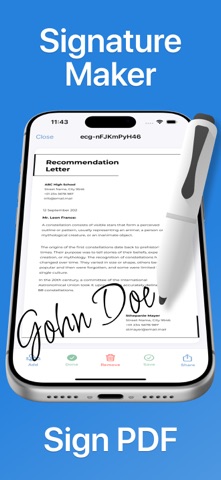
Signature Maker Sign PDF — Create and Manage Your Digital Signature Handle documents with ease using our app — a streamlined tool for creating, editing, and applying your digital signature. Import files, organize them by status, sign documents in seconds, and share them anywhere you need. Effortless Document Workflow Manage all your files from the main Document Manager. Imported items are automatically sorted into two sections for quick navigation: • Pending — files awaiting signature • Signed — completed and saved documents Preview files, rename or delete them, and use search or filters to quickly locate what you need. Simple and Precise Signing Tools Open any document to add your saved signature or create a new one on the spot. Move, resize, or remove the signature before saving, ensuring perfect placement every time. You can export or share your signed document instantly. Create Your Perfect Signature Use the profile section to set up your personal signature: - Draw naturally on a clean canvas - Undo or clear strokes - Save your signature as a transparent PNG - Use it instantly in any document Smart Design and Intuitive Controls - Import from device storage or cloud services - Preview documents with clear thumbnails - Keep your library tidy with folders and filters - Share your signed files in just a tap Basic and Premium Access The basic version allows one signed document. Premium unlocks unlimited saving of signed files. Privacy Policy: https://docs.google.com/document/d/1zzCPXhHumz_2GbDVtZ5Cb89-l0g-DsrQQvoq7fKmWXw/edit?usp=sharing Terms & Conditions: https://docs.google.com/document/d/1bUuMes5LSmhezHcocvc7qlE09Qn2KYKUgb-AoTzW2MI/edit?usp=sharing
What's new · 1.0.2
Fixed minor bugs and improved overall stability
Details