

Photo Cleaner – Free Storage
Mukesh Khatri · Photo & Video
Independent analytics for this App Store listing. AppTracker is not affiliated with Mukesh Khatri.
Chart standing · US
What changed · US
Listing changes AppTracker has observed for this app in this storefront — new versions, price moves, rating shifts, and store copy.
Bug fixes and improvements - Fixed duplicate sets sometimes counting the same photo twice, so "Delete 4" could delete only 3. - Duplicate sets now stay in the same order between visits instead of reshuffling. - Swiping up and down through duplicates is smoother and more reliable. - Fixed screenshot and duplicate counts dropping back after scanning more batches. - Fixed scan progress being lost when photos changed in the background, such as during iCloud downloads. - If you gave Swyp access to only some of your photos, the Home screen now shows how many it can see and offers a one-tap shortcut to allow full access. - Redeem offer codes from the paywall or from Settings. - Onboarding picks up where you left off after changing photo access in Settings.
Price & rating history · US
Reconstructed from the listing changes AppTracker has observed in this storefront. A field is charted once it has changed more than once, and each line starts at the value it moved from.
Average rating · ★ 4.94 now · 2 changes on record
In-app purchases · US
What this app sells inside itself, grouped by kind and priced for this storefront.
Screenshots



About
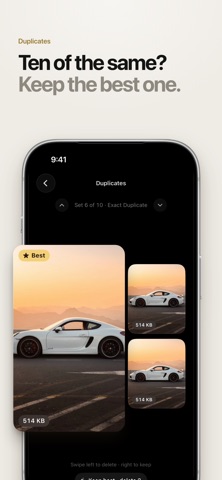
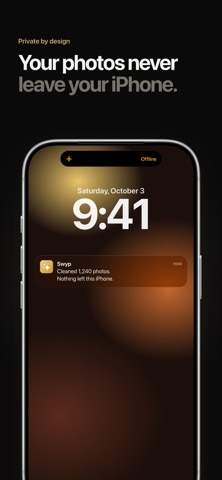
Swyp is the fastest way to clean your camera roll. Swipe left to delete, swipe right to keep, and free up gigabytes of storage in minutes. Your library fills up fast with screenshots, blurry shots, duplicates, memes and old videos. Going through thousands of them by hand takes forever. Swyp finds the clutter for you, so all that's left is a quick swipe. SWIPE TO CLEAN Go through your photos one at a time. Left to delete, right to keep. No menus, no fuss. Every deck picks up right where you left off. DELETE DUPLICATES & SIMILAR PHOTOS Swyp groups identical photos, near-identical shots and bursts together. It highlights the best one, so you can clear the rest in seconds. CLEAR OUT JUNK Screenshots, memes, receipts and blurry or out-of-focus photos are found automatically and ready to review. FIND YOUR BIGGEST VIDEOS Long videos can take up gigabytes. Swyp shows your largest videos first, so you get the most space back with the fewest swipes. CLEAN BY MONTH Jump to any month, revisit a trip or an event, and decide what stays. PRIVATE BY DESIGN Your photos never leave your iPhone. Every scan runs on your device. No account, no sign-up and no cloud uploads. SAFE TO USE Nothing is deleted until you confirm. Deleted photos go to Recently Deleted in your Photos app, so you can recover them for 30 days. Keep the moments. Swipe the rest. — FREE & PREMIUM Swyp is free to download and includes 50 deletions a day. Upgrade to Swyp Premium for unlimited cleaning. Weekly, monthly and yearly plans are available, and some include a free trial. Payment is charged to your Apple ID at confirmation of purchase. Your subscription renews automatically unless you cancel at least 24 hours before the end of the current period. Your account is charged for renewal within 24 hours before the current period ends. You can manage or cancel your subscription in your App Store account settings. Any unused part of a free trial is forfeited when you buy a subscription. Terms of Use: https://swyp.app/terms/ Privacy Policy: https://swyp.app/privacy/
What's new · 2.3.1
Bug fixes and improvements - Fixed duplicate sets sometimes counting the same photo twice, so "Delete 4" could delete only 3. - Duplicate sets now stay in the same order between visits instead of reshuffling. - Swiping up and down through duplicates is smoother and more reliable. - Fixed screenshot and duplicate counts dropping back after scanning more batches. - Fixed scan progress being lost when photos changed in the background, such as during iCloud downloads. - If you gave Swyp access to only some of your photos, the Home screen now shows how many it can see and offers a one-tap shortcut to allow full access. - Redeem offer codes from the paywall or from Settings. - Onboarding picks up where you left off after changing photo access in Settings.
Details