

Pi Tap: Auto Clicker
Dang Huong · Productivity
Independent analytics for this App Store listing. AppTracker is not affiliated with Dang Huong.
Chart standing · US
What changed · US
Listing changes AppTracker has observed for this app in this storefront — new versions, price moves, rating shifts, and store copy.
Price & rating history · US
Reconstructed from the listing changes AppTracker has observed in this storefront. A field is charted once it has changed more than once, and each line starts at the value it moved from.
Average rating · ★ 1.67 now · 4 changes on record
Ratings breakdown · US
The star breakdown behind this app's rating in this storefront.
In-app purchases · US
What this app sells inside itself, grouped by kind and priced for this storefront.
Screenshots





Keywords this app targets
Search terms AppTracker associates with this app — estimates, not search volume. ❝ = in the app's title; a highlighted number is its current position for that term.
Similar apps
Competitors and close alternatives, as estimated by AppTracker.
 Auto clicker: tap and click
Rainbow Museum ehf.
2 shared topics · 4 shared title words
Auto clicker: tap and click
Rainbow Museum ehf.
2 shared topics · 4 shared title words
 Auto Clicker™: Automatic Tap
Muhammad Fatthullah Bin Iskandar
1 shared topic · 4 shared title words
Auto Clicker™: Automatic Tap
Muhammad Fatthullah Bin Iskandar
1 shared topic · 4 shared title words
 Auto Tapper
Asad Jamal
2 shared topics · 1 shared title word
Auto Tapper
Asad Jamal
2 shared topics · 1 shared title word
 Auto Clicker: Tap Automation
Florence Mitchell
1 shared topic · 4 shared title words
Auto Clicker: Tap Automation
Florence Mitchell
1 shared topic · 4 shared title words
 Auto Clicker - Click Assistant
Hamza El karmouni
1 shared topic · 3 shared title words
Auto Clicker - Click Assistant
Hamza El karmouni
1 shared topic · 3 shared title words
 Auto Clicker - Automatic Tap Q
家豪 魏
1 shared topic · 4 shared title words
Auto Clicker - Automatic Tap Q
家豪 魏
1 shared topic · 4 shared title words
 Auto Refresh & Clicker
培克 罗
2 shared topics · 2 shared title words
Auto Refresh & Clicker
培克 罗
2 shared topics · 2 shared title words
 My Auto Clicker app
楠 唐
1 shared topic · 3 shared title words
My Auto Clicker app
楠 唐
1 shared topic · 3 shared title words
About
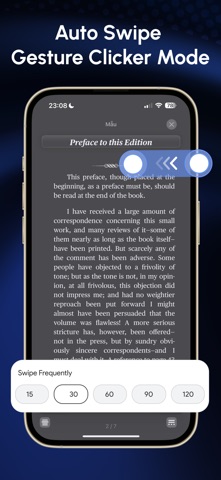
Pi Tap Auto Clicker helps you automate simple tap actions inside the in app browser. It allows you to repeat the same tap tasks on web pages without manual effort. You can set tap positions, adjust timing, and let the app repeat the actions automatically. This app is useful for repetitive web tasks, form testing, basic web interactions, and any action that requires repeated tapping inside the app browser. Main features Auto tap inside the built in browser Set custom tap intervals Repeat actions with loop mode Add multiple tap points Save and load tap sequences Pause or stop at any time How to use Open Pi Tap and access the in app browser. Go to the website you want to automate. Add tap points and set the delay. Start auto tap and let the app perform the repeated actions. Stop or pause when needed. Important notes The auto click function works only inside this app. It cannot control other apps or system interfaces. Pi Tap is designed for simple web productivity tasks and tap repetition inside the in app browser. Your tap configuration stays on your device unless you choose to back it up through the app settings. If you need help or have suggestions, contact us using the support email in the app. Privacy & Policy: https://zenitystudio.cloud/policy.html Terms of services: https://zenitystudio.cloud/terms.html
What's new · 1.0.4
- Fix some bugs
Details