

PDF Converter: Sign, Creator
Balogh Zoltan · Productivity
Independent analytics for this App Store listing. AppTracker is not affiliated with Balogh Zoltan.
Chart standing · US
Ratings breakdown · US
The star breakdown behind this app's rating in this storefront.
In-app purchases · US
What this app sells inside itself, grouped by kind and priced for this storefront.
Screenshots


About
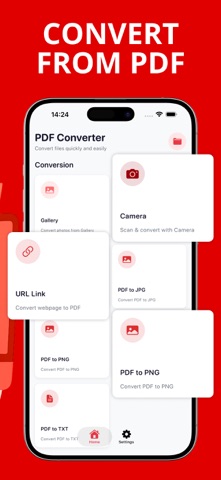
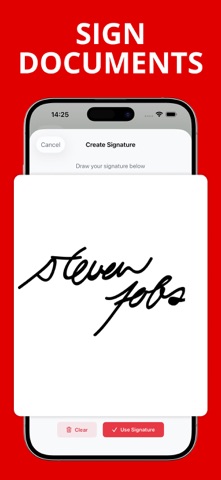
PDF Converter is a convenient tool for creating, editing, and converting documents in seconds! It is your all-in-one assistant for working with documents and images. Easily convert Word files, JPG, JPEG, and PNG photos, web pages, and even camera shots into neat PDF documents. It is more than just a converter; it is a comprehensive tool for creating and managing documents. The main features of the converter include: Converting to PDF from any source into a single PDF. From images: Create PDFs from photos and images from the gallery (JPG, PNG). Supports uploading multiple images at once. From your camera: Convert paper documents, receipts, or notes into digital PDFs by simply taking a photo. From web pages: Save articles and websites as PDFs by pasting a link. Convenient for offline reading. Built-in PDF editor: Edit documents before or after conversion, adjusting pages, improving quality, merging, and organizing files. User-friendly file management: Quickly view and organize files with flexibility. Privacy Policy: https://doc-hosting.flycricket.io/pdf-converter-sign-creator-privacy-policy/afd5c827-4a54-41ab-a984-b6ab296f702b/privacy Terms of Use: https://doc-hosting.flycricket.io/pdf-converter-pdf-creator-terms-of-use/375ab870-6d76-4a4c-a13a-fb42ca9a18f2/terms Support form: https://forms.gle/SoeNubJQ5cPzg83A9
What's new · 1.8
Minor bug fixes and user experience improvements.
Details