

Aya Photo AI: Copy any shot
Evgenii Luchinin · Photo & Video
Independent analytics for this App Store listing. AppTracker is not affiliated with Evgenii Luchinin.
Chart standing · US
What changed · US
Listing changes AppTracker has observed for this app in this storefront — new versions, price moves, rating shifts, and store copy.
• Copy Shot results in higher resolution • New on Inspire: a slider of trending photos and a Viral category • Saving to your camera roll works reliably again • Upscale and Live status now stays on the right photo • Faster, cleaner app launch • Bug fixes and design improvements
Price & rating history · US
Reconstructed from the listing changes AppTracker has observed in this storefront. A field is charted once it has changed more than once, and each line starts at the value it moved from.
Average rating · ★ 5.00 now · 2 changes on record
Screenshots




Similar apps
Competitors and close alternatives, as estimated by AppTracker.
 FaceAI: AI Photo Video Editor
DOFA TECH YAZILIM HIZMETLERI ANONIM SIRKETI
FaceAI: AI Photo Video Editor
DOFA TECH YAZILIM HIZMETLERI ANONIM SIRKETI
 Shots: Photo & Video Generator
DeePix AI
Shots: Photo & Video Generator
DeePix AI
 Version AI: AI Photo Creator
Apptribe Dijital Hizmetler Limited Sirketi
Version AI: AI Photo Creator
Apptribe Dijital Hizmetler Limited Sirketi
 PhotoArt: AI Photo Generator
红献 胡
PhotoArt: AI Photo Generator
红献 胡
 AI Photo Generator: Remake AI
Must Have Apps
AI Photo Generator: Remake AI
Must Have Apps
 ProFace: AI Photo Generator
Shware Inc.
ProFace: AI Photo Generator
Shware Inc.
 AI Headshot Photo Generator
Funny Media Labs, S.L.
AI Headshot Photo Generator
Funny Media Labs, S.L.
 PrimeArt – AI Photo Editor
Andrzej Nowakowski
PrimeArt – AI Photo Editor
Andrzej Nowakowski
About
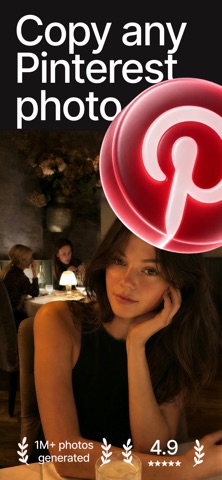
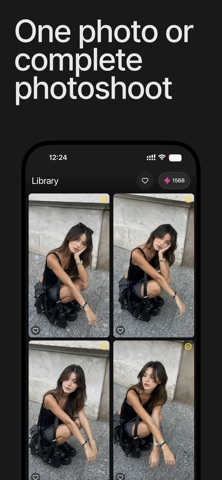
Copy Shot — recreate any photo you love. See a look you want? Add any reference photo and Copy Shot recreates it with your face, your subject, your style. Pro headshots, viral looks, AI art, product shots — start from a photo or just describe it, and get studio-quality results in seconds. COPY ANY REFERENCE PHOTO Found the perfect pose, lighting, or vibe? Use any photo as a reference and make the shot your own — no prompt skills required. A FULL PHOTOSHOOT IN ONE TAP Generate up to 8 photos at once and keep the ones you love. A whole shoot's worth of options, in seconds. LOOKS LIKE YOU, EVERY TIME Save a face once and reuse it across every creation — you, a friend, a pet, a character. Your likeness stays consistent shot after shot. AI EFFECTS & TOOLS Apply trending effects, swap styles, remove objects, and fix details without starting over. CHOOSE AND UPSCALE TO 4K Pick your favorite and upscale to crisp 4K — ready to post, print, or share. IMAGINE OR REFINE No reference? Just describe the look and create from scratch. Already have an image? Refine it — add detail, change one thing, or push an effect. WHO IT'S FOR Creators who need fresh visuals daily. Professionals who want a sharp headshot. Social makers chasing trends. Anyone curious about AI photos — no technical skills needed. HOW IT WORKS 1. Add a reference photo — or describe the look you want 2. Add your face to keep it consistent 3. Create — results in seconds 4. Choose, upscale to 4K, and share Privacy Policy: https://funky-calliandra-0c0.notion.site/PRIVACY-POLICY-Aya-Photo-Lab-2b77de5fc1c980c1b582fe72cdbc5d8d Terms (EULA): https://www.apple.com/legal/internet-services/itunes/dev/stdeula/
What's new · 1.7.1
• Copy Shot results in higher resolution • New on Inspire: a slider of trending photos and a Viral category • Saving to your camera roll works reliably again • Upscale and Live status now stays on the right photo • Faster, cleaner app launch • Bug fixes and design improvements
Details