

QR Code Scanner For iPhone +
MTWOM LIMITED · Utilities
Independent analytics for this App Store listing. AppTracker is not affiliated with MTWOM LIMITED.
Chart standing · US
What changed · US
Listing changes AppTracker has observed for this app in this storefront — new versions, price moves, rating shifts, and store copy.
Enjoy a faster and more stable scanning experience with our upgraded QR Code Reader. This release brings key improvements: • Resolved occasional crashes and QR parsing failures, delivering quicker, more dependable code scanning. Should you experience any issues or have feedback to share, please contact us at support@scvjn.cn. We remain committed to refining our product with regular updates. Thank you for your support.
Screenshots



About
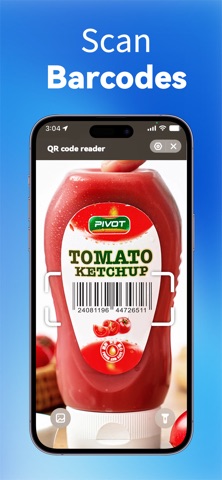
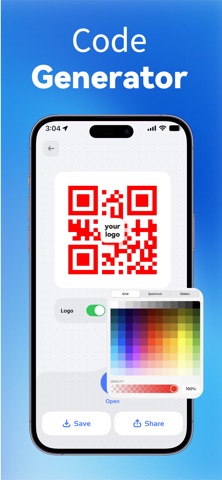
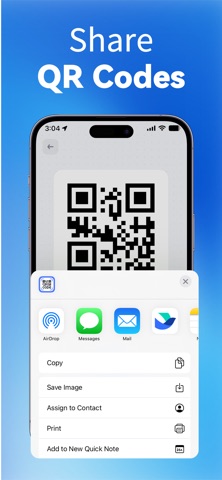
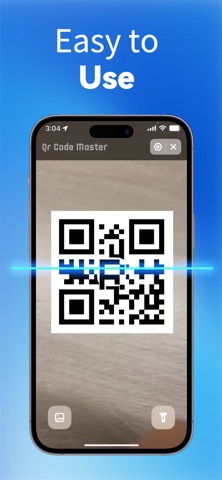
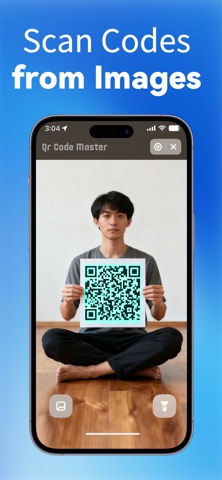
QR Code Reader – Fast Scan & Create Scan, create, and manage QR codes and barcodes instantly – fast, accurate, and simple. Turn your phone into a smart scanner for links, tickets, labels, and product barcodes. Core Features: ● Fast QR & Barcode Scanner - Lightning-fast QR and barcode scanning, including product barcodes, with smart auto-focus and instant detection - Scan directly with your camera or import codes from your photo gallery - Built-in flashlight for easy scanning in dark environments - Instantly identify product barcodes and jump to Amazon with one tap for pricing and details — perfect for price checks and shopping research - Turn your phone into a smart product scanner for links, tickets, labels, and everyday barcodes ● QR & Barcode Generator - Create QR codes for URL, Text, Phone, SMS, Email, Wi-Fi, and more - Customize QR code colors and basic design styles - Built-in scan test to ensure your generated codes work properly - Save your QR codes or share them instantly with one tap ● Scan History & Code Management - Automatically saves all scanned and generated codes - Organize content with folders for better classification - Quick search helps you find what you need in seconds - Keep your QR and barcode data clean, organized, and accessible All Features: - Fast QR code scanning - Multi-type QR code recognition - QR detection from photo gallery - Flashlight support for dark environments - Create QR codes (URL / Text / Phone / Email / SMS / Wi-Fi) - Customizable QR code colors - Scan verification for created codes - Save, export, and share QR codes - History list for scans and creations - Folder-based organization Who Is This App For? - Users who frequently scan QR codes - Shoppers comparing products on Amazon - Business professionals managing Wi-Fi or contact information - Students and office workers handling links, forms, or files - Creators and marketers who need sharable QR codes - Anyone who wants a simple, stable, and reliable QR tool Where You Can Use It? - Scan menus, tickets, event check-in codes, and promo codes - Create Wi-Fi QR codes for guests - Share contact details or event information instantly - Look up products via barcode - Manage QR codes for business or marketing purposes - Organize all scanned results by project, work, or study categories Subscription Information • Payment will be charged to your iTunes account at confirmation of purchase. • Subscriptions automatically renew unless turned off at least 24 hours before the end of the current period. • You can manage or turn off auto-renewal in Settings → Apple ID → Subscriptions. • A free trial is available. After the trial ends, the subscription renews automatically unless canceled in advance. Privacy Policy: http://qrcodereader.taozantek.com/#/privacy User Agreement: http://qrcodereader.taozantek.com/#/agreement
What's new · 1.1.4
Enjoy a faster and more stable scanning experience with our upgraded QR Code Reader. This release brings key improvements: • Resolved occasional crashes and QR parsing failures, delivering quicker, more dependable code scanning. Should you experience any issues or have feedback to share, please contact us at support@scvjn.cn. We remain committed to refining our product with regular updates. Thank you for your support.
Details