
Chart standing · US
What changed · US
Listing changes AppTracker has observed for this app in this storefront — new versions, price moves, rating shifts, and store copy.
Play now starts instantly - plus new track panning and audio preview. • Instant playback: tap Play and the sound starts immediately, with no lag. • Click and data tracks are now separated in the mixer, so they're easier to find and control. • Swipe a track to pan it left or right. • Preview audio files before you import them, so you pick the right take the first time (Pro). • Preview another song while one is still playing — the current song keeps playing without interruption (Pro). • Improved Auto Play Next and song overlap for smoother, more reliable transitions. • Refined UI across the app, plus performance improvements and bug fixes.
Screenshots




About
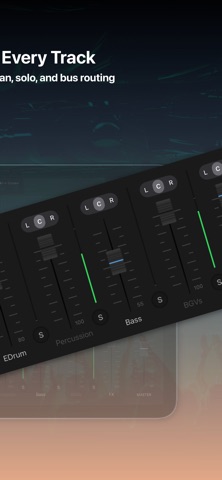
MUSE Multitrack is a multitrack player built for rehearsal and performance. Import your own songs, organize them into setlists, mark every section, and control each track with confidence. Practice smarter with sections that make sense - Build setlists for rehearsal or live shows - Add section markers (Intro / Verse / Chorus / Solo, etc.) - Jump to any part instantly to repeat and refine Full control, every track - Independent volume per track - Mute / Solo for focused practice - Pan for a clearer mix - Flexible bus outputs for advanced routing Made for musicians Perfect for singers, bands, music creators, and educators who want fast control, clear structure, and a reliable multitrack workflow. Note: MUSE Multitrack does not include copyrighted songs. Please import and use only audio content you own or have permission to use. Terms of Use (EULA): https://www.apple.com/legal/internet-services/itunes/dev/stdeula/
What's new · 2.2
Play now starts instantly - plus new track panning and audio preview. • Instant playback: tap Play and the sound starts immediately, with no lag. • Click and data tracks are now separated in the mixer, so they're easier to find and control. • Swipe a track to pan it left or right. • Preview audio files before you import them, so you pick the right take the first time (Pro). • Preview another song while one is still playing — the current song keeps playing without interruption (Pro). • Improved Auto Play Next and song overlap for smoother, more reliable transitions. • Refined UI across the app, plus performance improvements and bug fixes.
Details