

Tinnitus Relief App
8Foundations Pte Ltd · Health & Fitness
Independent analytics for this App Store listing. AppTracker is not affiliated with 8Foundations Pte Ltd.
Chart standing · US
What changed · US
Listing changes AppTracker has observed for this app in this storefront — new versions, price moves, rating shifts, and store copy.
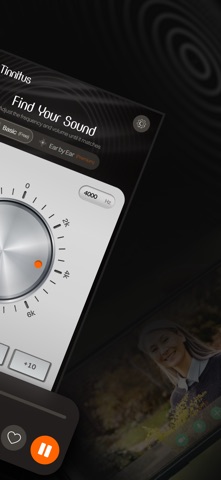
What's new in 2.3.2: • Redesigned frequency dial: smoother, rounder, easier to read • Small fixes and improvements
In-app purchases · US
What this app sells inside itself, grouped by kind and priced for this storefront.
Screenshots

About
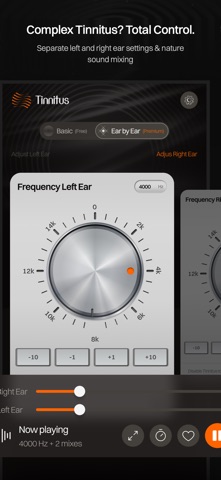
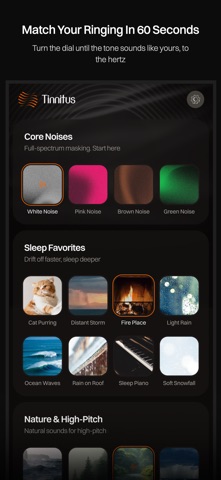
Cover the ringing with sound, wherever you are. Find the pitch of your tinnitus in about a minute, then blend it with soothing sounds that keep playing in the background: while you watch YouTube, use other apps or lock your screen. No signup. HOW IT WORKS • Answer 3 quick questions to see where to start • Turn the dial to match your tone (125 to 15,000 Hz) • Blend it with white noise or another sound you like • Fine volume control, with gentle starting levels FREE • Tone matching for both ears • White noise • Background play with other apps and a locked screen PREMIUM • All 44 sounds in 6 categories: noise, sleep, nature, city, music and more • Separate left and right ear settings • Unlimited saved mixes (work, sleep, travel…) • Sleep timer • Try any Premium sound for 30 seconds before you choose Choose a yearly subscription or a one-time lifetime purchase. Prices are shown in the app in your local currency. 29 LANGUAGES English, Français, Deutsch, Español, Italiano, Português, 日本語, 한국어, 中文 and 20 more. PRIVACY No account and no recordings. Your settings stay on your device. IMPORTANT Tinnitus Relief App is a sound tool, not a medical device. It does not diagnose or treat any condition. If your tinnitus is new, sudden, in one ear only, pulsing, or comes with hearing loss, dizziness or pain, see a doctor. Terms of Use: https://tinnitusreliefapp.com/legal/terms-conditions Privacy Policy: https://tinnitusreliefapp.com/legal/privacy-policy
What's new · 2.3.3
What's new in 2.3.2: • Redesigned frequency dial: smoother, rounder, easier to read • Small fixes and improvements
Details