

Snowflake CoWork
Snowflake Computing INC. · Business
Independent analytics for this App Store listing. AppTracker is not affiliated with Snowflake Computing INC.
Chart standing · US
What changed · US
Listing changes AppTracker has observed for this app in this storefront — new versions, price moves, rating shifts, and store copy.
Bug fixes include: • Search bar and Save button stay above the keyboard. • A shared link opens when you tap it right after launching the app. • Memories opens on its own page, so Back button returns to the chat. • The @ menu lists only agents you can use. • Various minor bug fixes and performance improvements.
Screenshots



About
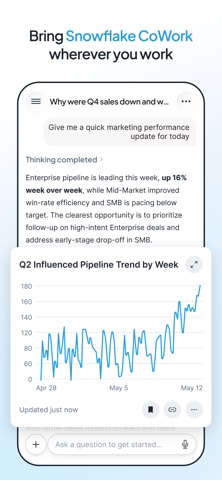
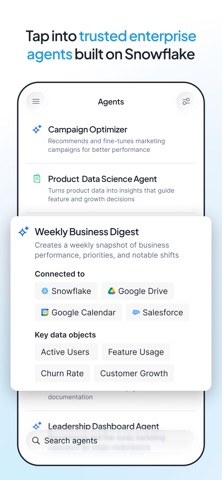
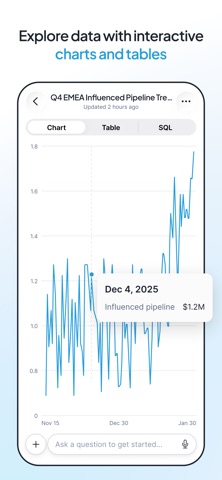
Ask questions about your Snowflake data, get instant answers, and explore insights - all from the convenience of your mobile device. Snowflake CoWork brings the power of Snowflake's AI-driven data assistant to your iPhone. KEY FEATURES • Conversational Interface: Carry on multi-turn conversations to refine your analysis, drill into details, and explore follow-up questions. • AI Agents: Choose from your specialized agents tailored to different data tasks and workflows. • File Attachments: Attach photos from your camera or library, or upload files to provide additional context for your questions. • Voice Input: Use speech-to-text to ask questions hands-free. • Secure Authentication: Sign in with your Snowflake account. FaceID support keeps you securely signed in between sessions. • Seamless Snowflake Integration: Works with your existing Snowflake roles, warehouses, and permissions. Your data stays within your Snowflake environment. REQUIREMENTS • A Snowflake account with Snowflake CoWork configured Snowflake CoWork for iOS is built by Snowflake. For more information, visit snowflake.com.
What's new · 2.0.19
Bug fixes include: • Search bar and Save button stay above the keyboard. • A shared link opens when you tap it right after launching the app. • Memories opens on its own page, so Back button returns to the chat. • The @ menu lists only agents you can use. • Various minor bug fixes and performance improvements.
Details