

CyphrCam: Dance Video Camera
Perris Aquino · Photo & Video
Independent analytics for this App Store listing. AppTracker is not affiliated with Perris Aquino.
Chart standing · US
What changed · US
Listing changes AppTracker has observed for this app in this storefront — new versions, price moves, rating shifts, and store copy.
Your playlists can wear your own cover now. Pick a photo, crop it square, and it shows up on your other phone too. The mini player shows the right artwork and color for every song again. Every playlist shows its art when you add a song to it. Select a few playlists at once to share them or delete them. Tap the X on the song at the top of the camera to clear your music. The music library, Settings and Insights open faster.
Ratings breakdown · US
The star breakdown behind this app's rating in this storefront.
In-app purchases · US
What this app sells inside itself, grouped by kind and priced for this storefront.
Screenshots


About
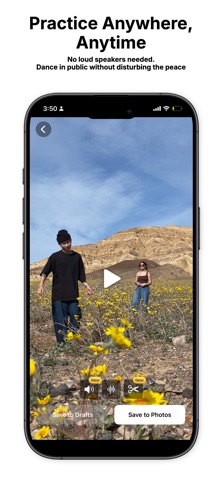
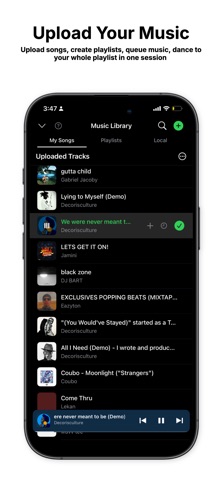
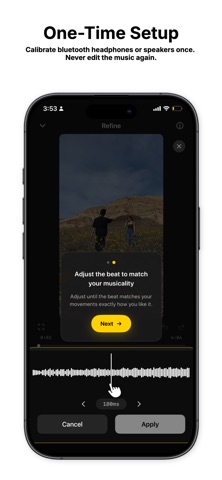
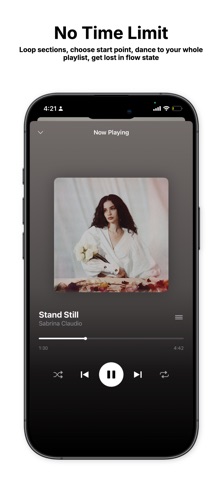
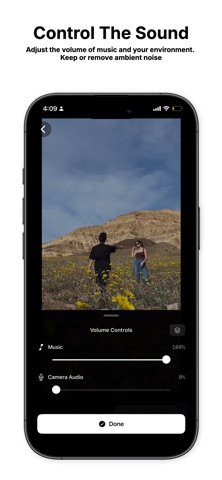
If you've ever felt weird blasting music in public to record a dance video, this is the app you've been waiting for. Headphones in. Pick your song. Hit record. CyphrCam syncs the music to your video automatically, even when you skip ahead, scrub, or replay during the recording. Works with any audio source: AirPods, headphones, studio monitors, Bluetooth speakers, even your iPad on a counter. The app captures what you hear and matches the beat with your feet. No editing required after setup. Whether you're sessioning at home, filming a dance video in public, teaching a class, dancing with friends, or drilling foundations in your apartment at 2AM. CyphrCam lets you practice anytime, anywhere with the music automatically overlayed so you can dance more, think less, and capture often. Core Features: - Dance with headphones - Auto-sync the music - Unlimited Recording time Extra Features: Personal Music Library: Upload your music, mixes, and build playlists Mindful Mode: Turn off the screen and be more present with the music instead of looking at the camera Live Music Controls - Skip, pause, adjust playback position while recording Dance with a partner - Use 2 pairs of airpods to silent disco with a partner Save to Camera Roll - Your videos save directly to your camera roll Track your progress - Get insights about your creative process and grow Film in 1080p, 4k, 60fps, 24fps CyphrCam accepts every major audio format: MP3, M4A, AAC, WAV, FLAC, AIFF, ALAC, etc. Great for: - Freestylers - Battlers - Choreographers - Dance Teachers - Performers - Silent Disco-ers Easy 4-STEP SETUP 1. Calibrate your bluetooth device 2. Upload your music 3. Record your dance 4. Export (with music auto-synced) Done. Every recording after that auto-syncs the music.
What's new · 1.2.4
Your playlists can wear your own cover now. Pick a photo, crop it square, and it shows up on your other phone too. The mini player shows the right artwork and color for every song again. Every playlist shows its art when you add a song to it. Select a few playlists at once to share them or delete them. Tap the X on the song at the top of the camera to clear your music. The music library, Settings and Insights open faster.
Details