

Opalite - Color Studio
Molargik Software LLC · Graphics & Design
Independent analytics for this App Store listing. AppTracker is not affiliated with Molargik Software LLC.
Chart standing · US
Ratings breakdown · US
The star breakdown behind this app's rating in this storefront.
Screenshots


About
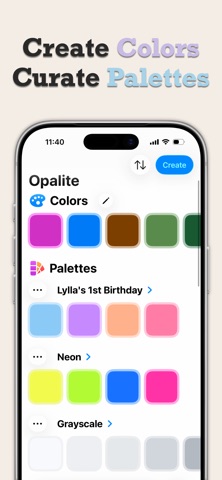
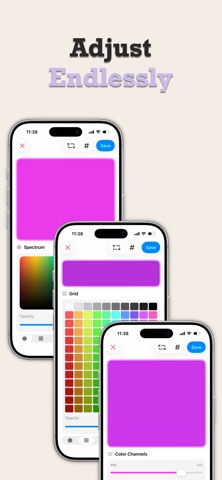
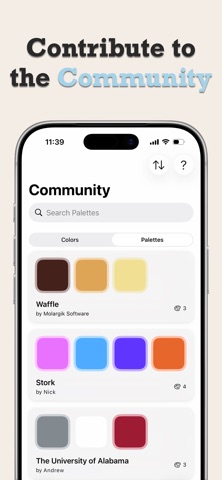
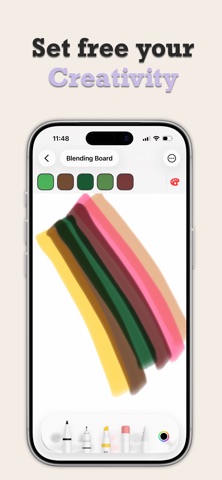
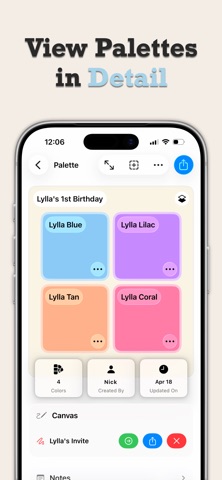
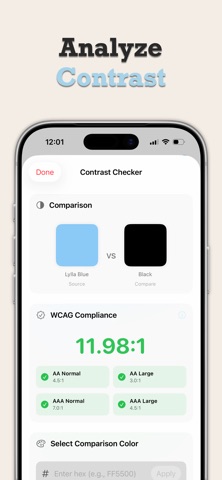
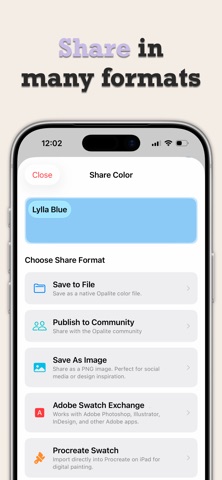
Take control of your colors. Pick colors from photos, check WCAG contrast, simulate color blindness, and export palettes to Procreate, SwiftUI, CSS, and Adobe — all in one app. Opalite is the color toolkit designers, developers, and digital artists actually use, built natively for iPhone, iPad, Mac, Apple Watch, Apple TV, and Apple Vision Pro. ▸ PICK COLORS SIX WAYS Spectrum for precise hues Grid of preset swatches Channel sliders for fine-tuning Hex, RGB, HSL, and CMYK codes, with paste from any design tool Shuffle for instant inspiration Sample from photos, the camera, or anything on your Mac's screen ▸ UNDERSTAND EVERY COLOR Codes in every format, one tap to copy Harmonies: complementary, analogous, triadic, tetradic, and split Tints, shades, and tones Name suggestions powered by Apple Intelligence ▸ ORGANIZE YOUR LIBRARY Unlimited colors, free forever Palettes with notes, tags, preview backgrounds, and archiving Drag and drop between palettes, manual ordering Search your whole library instantly iCloud sync across iPhone, iPad, Mac, Apple Watch, Apple TV, and Vision Pro ▸ DESIGN FOR EVERYONE WCAG contrast checker with AA and AAA results Color vision simulation — protanopia, deuteranopia, tritanopia, achromatopsia — across the whole app ▸ DRAW ON CANVAS Apple Pencil and PencilKit, with hover Shapes, placed images, and SVG placement A swatch strip that sets your ink from any palette One canvas free, unlimited with Onyx ▸ JOIN THE COMMUNITY Publish colors and palettes for creators worldwide Browse and search what others share Save Community colors and palettes to your library (Onyx) ▸ EXPORT ANYWHERE Opalite files, PNG, and PDF portfolios Procreate swatches, Adobe ASE, GIMP palettes, CSS, and SwiftUI (Onyx) Quick Look previews and thumbnails for Opalite files ▸ EVERYWHERE YOU WORK SwatchBar: a slim window for copying hex codes and picking ink beside other apps on iPad, Mac, and Vision Pro Siri and Shortcuts, Spotlight, Home Screen quick actions, and widgets An iMessage app for sending swatches, and a Share Extension that samples colors from any image A watch complication, and an immersive color constellation on Vision Pro ▸ SIMPLE PRICING Free: unlimited colors, 5 palettes, 1 canvas, every picker, the contrast checker, and Community browsing Onyx: $9.99 once, forever — unlimited palettes and canvases, Community saves, and pro export formats No accounts, no ads, no tracking. Your library lives in your own iCloud. Indie-made by Molargik Software LLC. Terms: https://www.apple.com/legal/internet-services/itunes/dev/stdeula/
What's new · 1.6.0
Opalite 1.6 is a top-to-bottom rebuild with a calmer, faster, more native app on every platform. • Onyx is now a one-time $9.99 purchase. No subscription, unlock everything forever on every device signed in with your Apple Account. • A cleaner look across the app: a plain, focused welcome, readable color codes and details that never truncate, higher-contrast buttons, and swatches that stay visible on light and dark backgrounds. • Canvas: opening a canvas is fast and light again, the ink strip stays out of the tools' way, and drawing with a pointer on Mac works as it should. • SwatchBar opens reliably on iPad and Mac. • Settings is simpler: the hex-prefix preference is a single toggle, the Onyx page is tidier, and sections you didn't need are gone. • New Color: a Done button above every keyboard. • Spanish, Canadian French, and Japanese throughout. • Many fixes for sync, Community, and stability.
Details