

FacePiP
Patrick Bridgeman · Utilities
Independent analytics for this App Store listing. AppTracker is not affiliated with Patrick Bridgeman.
Chart standing · US
What changed · US
Listing changes AppTracker has observed for this app in this storefront — new versions, price moves, rating shifts, and store copy.
THE IDENTITY WATERMARK NOW CARRIES YOUR VIDEO'S PIXELS Until now, the watermark proved one thing: that your video was a genuine iPhone recording, captured through FacePiP. It now encodes something more — the pixel makeup of the video itself, sealed inside the same signature. So the watermark no longer just identifies you. It describes the video around it. Anyone can copy a mark off a real video. But a stolen mark still describes the video it came from — so put it on a fake one and the seal doesn't match what's actually there. Verification fails. And it can't be edited to fit, because altering the seal destroys the signature, and it can't be re-signed without your phone. WHAT'S NEW • A second verification step. Scanning the code proves it's a genuine FacePiP recording. A new step proves it belongs to this video: take a screenshot of any frame, pick it when FacePiP asks, and the app compares the footage against the seal inside the code. Nothing is uploaded — the picture never leaves your phone. • A live-person check. The TrueDepth camera now measures the real three-dimensional contour of your face while you record. A face has depth; a screen replaying AI video is flat, and can't pass. Now on for every recording. • Your identity is sealed in hardware. The signing key is generated inside the Secure Enclave — the chip that protects Face ID — and can never be copied off your device. • The watermark is rebuilt on Liquid Glass. Your video's colour and light flow through the code itself. It adapts to bright and dark scenes so it stays readable, and refreshes as you move so the seal always matches the moment you're in.
Ratings breakdown · US
The star breakdown behind this app's rating in this storefront.
Screenshots




About
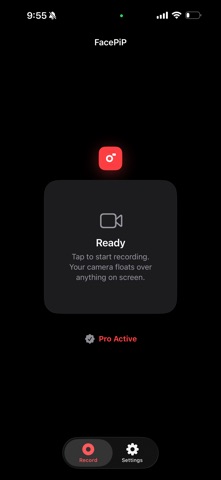
Record your screen and your face at the same time. A floating camera overlay follows you into any app — no timelines, no layers, no editor. Hit record, post, done. PERFECT FOR • TikTok reaction videos • Instagram Reels and Stories • YouTube Shorts • Gaming playthroughs • Tutorials and walkthroughs • Commentary and educational videos • Live-style social content NEW — PROOF OF HUMAN In an era where AI-generated video is becoming indistinguishable from reality, how do you prove you're real? Turn on the Identity Watermark and FacePiP turns every recording into its own certificate of authenticity — three layers deep. 1. SIGNED BY YOUR IPHONE Your signing key is generated inside the Secure Enclave, the dedicated security chip that protects Face ID and Apple Pay. It cannot be copied off your device — not by an attacker, not by us. That signature is woven into your video as a living watermark that refreshes as you move. 2. SEALED TO YOUR FOOTAGE This is what makes a stolen code worthless. Every watermark carries a cryptographic fingerprint of the exact moment it appears in. Lift one off a real video, paste it over a deepfake, and verification fails — the footage underneath doesn't match what the code promises. It can't be edited to fit, because changing a single character destroys the signature. And it can't be re-signed without your phone in hand. 3. PROVEN HUMAN Using the TrueDepth camera, FacePiP measures the true three-dimensional contour of your face as you record. A real face has depth. A screen replaying AI-generated video is flat — and can never earn the human seal, however convincing the image on it is. VERIFY FROM A SINGLE SCREENSHOT No account. No uploads. No original file. Screenshot any frame, long-press the watermark to open it in FacePiP, and get a verdict in three plain steps: signed by a real iPhone, a live person was present, and matches this video. A single frame carries its own proof — so it survives being reposted, re-shared and re-compressed across the internet. PRIVACY BY DESIGN • Camera overlay only. FacePiP is a camera overlay and nothing more. • Your video never leaves your phone. Verification reads the proof out of the picture itself — there is nothing to upload. • Nothing is stored per video. The only thing FacePiP publishes is a public verification key, once, so others can check your work. • Native iOS security. All screen recording, audio and video synchronisation are handled directly by the iOS system recorder. Your face. Your proof. Your reality. Identity Watermark requires the Tall shape and FacePiP Pro. Liveness verification requires an iPhone with Face ID.
What's new · 3.0.0
THE IDENTITY WATERMARK NOW CARRIES YOUR VIDEO'S PIXELS Until now, the watermark proved one thing: that your video was a genuine iPhone recording, captured through FacePiP. It now encodes something more — the pixel makeup of the video itself, sealed inside the same signature. So the watermark no longer just identifies you. It describes the video around it. Anyone can copy a mark off a real video. But a stolen mark still describes the video it came from — so put it on a fake one and the seal doesn't match what's actually there. Verification fails. And it can't be edited to fit, because altering the seal destroys the signature, and it can't be re-signed without your phone. WHAT'S NEW • A second verification step. Scanning the code proves it's a genuine FacePiP recording. A new step proves it belongs to this video: take a screenshot of any frame, pick it when FacePiP asks, and the app compares the footage against the seal inside the code. Nothing is uploaded — the picture never leaves your phone. • A live-person check. The TrueDepth camera now measures the real three-dimensional contour of your face while you record. A face has depth; a screen replaying AI video is flat, and can't pass. Now on for every recording. • Your identity is sealed in hardware. The signing key is generated inside the Secure Enclave — the chip that protects Face ID — and can never be copied off your device. • The watermark is rebuilt on Liquid Glass. Your video's colour and light flow through the code itself. It adapts to bright and dark scenes so it stays readable, and refreshes as you move so the seal always matches the moment you're in.
Details