

Smart Printer™-Print App, Scan
VISONXY LIMITED · Utilities
Independent analytics for this App Store listing. AppTracker is not affiliated with VISONXY LIMITED.
Chart standing · US
What changed · US
Listing changes AppTracker has observed for this app in this storefront — new versions, price moves, rating shifts, and store copy.
Multiple core practical functions have been upgraded. Optimized operation workflows deliver faster and smoother printing experience. Various known bugs have been resolved. We have expanded device compatibility, enhanced connection performance and improved overall system stability. If you enjoy using our printer app, we would greatly appreciate your positive review. Should you have any questions, feedback or feature requests, please feel free to reach out to us at support@jywfx.cn.
Ratings breakdown · US
The star breakdown behind this app's rating in this storefront.
In-app purchases · US
What this app sells inside itself, grouped by kind and priced for this storefront.
Screenshots




About
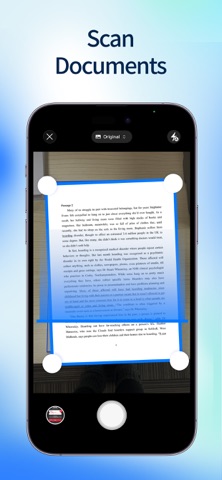
Smart Printer App lets you print photos and documents easily—no printer drivers required. It supports over 7,500 printer models from a wide range of manufacturers and brands. An all-in-one printer, scanner, and office tool—right on your iPhone or iPad. Turn your phone into a powerful multi-function printer. Easily print, scan, fax, and manage documents anytime, anywhere. Our smart printer app works seamlessly with most printer models, including HP, Brother, Canon, Dell, Epson, Lanier, Xerox, Aurora, Lexmark, Panasonic, Ricoh, Toshiba, and many more. app works seamlessly with most printer models, including HP, Brother, Canon, Dell, Epson, Lanier, Xerox, Aurora, Lexmark, Panasonic, Ricoh, Toshiba, and many more. PRINT FROM IPHONE & IPAD: Print photos and documents directly from your device with Smart Printer App. - Print photos and documents - Print multiple photos on one page - Print photos as posters - Print emails and web pages - Print printables, including: - Greeting cards - Coloring pages - Kids’ learning worksheets - Productivity templates - Paper crafts - Print labels: customize and print labels - Print calendars: create and print custom calendars - Print quizzes: select knowledge topics and print quizzes instantly SCAN DOCUMENTS: Scan, edit, and print documents with ease. - Scan documents using your camera - Edit and enhance scanned files - Share documents via Email, AirDrop, or messaging apps OFFICE TOOLS: Essential document tools for everyday work. - Convert photos to PDF - Delete pages from PDF files - Compress PDF files - Transfer files from PC to iPhone or iPad SEND FAXES WORLDWIDE Send and receive faxes securely, without a fax machine. - Scan and send faxes globally - Receive delivery status notifications - Fax with encrypted connections SHARE PRINTER ACCESS: Print together, even on the same printer. - Allow family members or teammates to print using your printer - Join a group to print documents on a shared printer Disclaimer Product names, logos, and brand names are used for identification purposes only and do not imply endorsement or affiliation with this application. 【Auto-Renewal Subscription Information】 1. Subscription Services: Weekly, annual membership auto-renewals, and lifetime membership 2. Auto-Renewal: Accounts purchasing consecutive weekly or annual memberships will be automatically charged via iTunes 24 hours before each quarterly expiration date 3. Canceling Subscriptions: To cancel, manually navigate to iOS “Settings” → “iTunes Store & App Store” → tap “Apple ID” → select “View Apple ID” → go to “Account Settings” → tap “Subscriptions” → choose the subscription to cancel auto-renewal. Subscriptions will renew automatically unless canceled at least 24 hours before the current subscription period ends. 4. Terms of Service: http://smartprinter.visonxy.com/#/agreement 5. Privacy Policy: http://smartprinter.visonxy.com/#/privacy
What's new · 1.1.8
Multiple core practical functions have been upgraded. Optimized operation workflows deliver faster and smoother printing experience. Various known bugs have been resolved. We have expanded device compatibility, enhanced connection performance and improved overall system stability. If you enjoy using our printer app, we would greatly appreciate your positive review. Should you have any questions, feedback or feature requests, please feel free to reach out to us at support@jywfx.cn.
Details