

AI Transcribe
Rivia Corp s.r.o. · Utilities
Independent analytics for this App Store listing. AppTracker is not affiliated with Rivia Corp s.r.o.
Chart standing · US
Screenshots


About
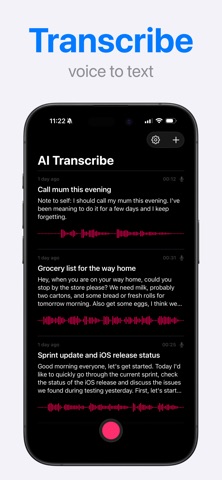
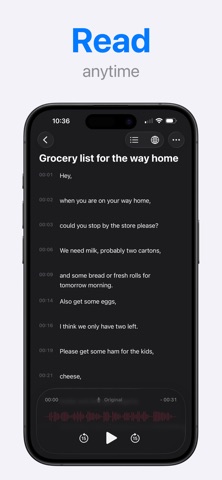
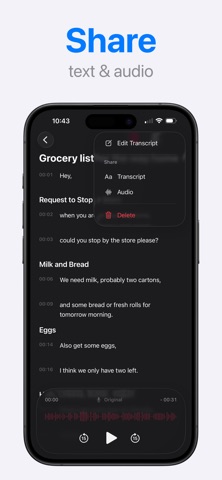
Turn voice recordings into clear notes and checklists with AI Transcribe. Record directly in the app or import existing audio, then edit, format, translate, and share your transcript. Capture an idea while it's fresh, revisit a meeting, or turn a spoken plan into a list of tasks. Keep a written record without typing out the recording yourself. With AI Transcribe, you can: • Record and import audio. Make a recording in the app or import an audio file, including a recording from Voice Memos, to convert speech to text. • Choose your format. Select from a range of formatting styles. Organize your transcript with section headings, turn it into bullet points, or create a checklist of tasks from your recording. • Read with timestamps. Review the text with time references and listen to the original recording when you want to check a detail. • Edit your transcript. Correct names, change individual words, or adjust the wording directly in the app. • Translate your transcript into another supported language. • Share text and audio. Send your transcript or share the original recording. Use AI Transcribe for everyday voice notes, meeting recordings, interviews, or study material. Turn a recorded discussion into organized notes, or speak through your plans and make a checklist to follow. Try every feature for free with limited usage. Subscribe for higher usage limits when you need more. Privacy Policy: https://riviacorp.com/policy-transcribe/ Terms of Service: https://riviacorp.com/terms-transcribe/ Support: https://riviacorp.com/
Details