

MoneyMate – Expense Tracker
Harshad Jadav · Productivity
Independent analytics for this App Store listing. AppTracker is not affiliated with Harshad Jadav.
Chart standing · US
What changed · US
Listing changes AppTracker has observed for this app in this storefront — new versions, price moves, rating shifts, and store copy.
• Minor bug fixes and performance improvements
In-app purchases · US
No in-app purchases.
Screenshots




About
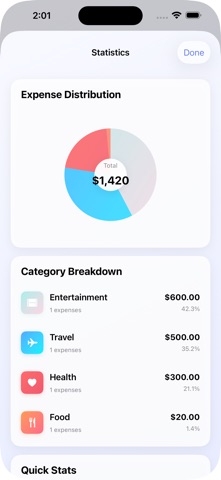
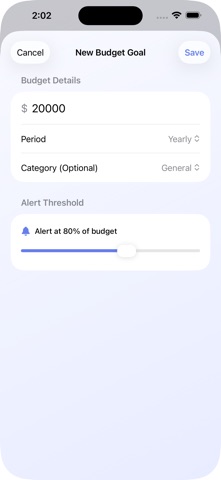
Take control of your finances with MoneyMate — the intuitive expense tracker that helps you understand your money and make better financial decisions. MoneyMate is designed for everyday money management, making budgeting simple and insights powerful — all without linking to your bank accounts. Log expenses in seconds, visualize trends, and track progress toward your financial goals. [Key Features]: Smart Expense Tracking • Add expenses with intuitive category-based organization • Beautiful visual charts and statistics • Real-time spending insights and trends Advanced Budget Management • Set custom budget goals with smart alerts • Category-specific or general budgeting • Flexible periods (weekly, monthly, yearly) Recurring Expense Automation • Automate regular bills and subscriptions • Never miss recurring payments again • Smart scheduling with end dates Comprehensive Analytics • Stunning pie charts and visual breakdowns • Monthly spending summaries • Category-wise expense distribution Data Export & Backup • Export to CSV for detailed analysis • Full data portability • Secure local storage Modern Design • Glass-morphism UI with beautiful gradients • Dark mode ready with adaptive colors • iPad-optimized layout with sidebar navigation Smart Notifications • Budget threshold alerts • Spending limit warnings Perfect for individuals, families, and small businesses looking to gain better control over their finances with a modern, user-friendly interface. "Finally, an expense tracker that's both powerful and beautiful to use!"
What's new · 1.4
• Minor bug fixes and performance improvements
Details