

Counter - One Tap Counter
Volodymyr Sichka · Utilities
Independent analytics for this App Store listing. AppTracker is not affiliated with Volodymyr Sichka.
Chart standing · US
What changed · US
Listing changes AppTracker has observed for this app in this storefront — new versions, price moves, rating shifts, and store copy.
- Name your counters — long-press a counter and choose Rename to label it (Push-ups, Laps, Pages…). - Reset a single counter — long-press any counter to reset just that one. - Undo — changed your mind after a reset? Tap Undo in the banner to bring your numbers back. - Choose what to reset — clear only the numbers, or the numbers together with their names. - Stronger haptics — every tap is easier to feel, so you can count without looking at the screen. - Full VoiceOver support — swipe up or down to adjust a counter; rename and reset from the actions menu.
Price & rating history · US
Reconstructed from the listing changes AppTracker has observed in this storefront. A field is charted once it has changed more than once, and each line starts at the value it moved from.
Price · Free now · 2 changes on record
In-app purchases · US
What this app sells inside itself, grouped by kind and priced for this storefront.
Screenshots



About
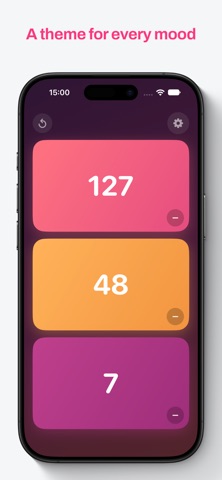
Count anything with ease. Counter is a simple, elegant tally counter that makes tracking effortless — the whole screen is your button. Features - Tap anywhere on the screen to count, no need to look down. - Haptic and sound feedback for every tap. - Decrement and reset with confirmation to avoid mistakes. - Automatically saves your counts between sessions. - Clean, modern design. - Count up to 4 things at once on a single screen. - 6 color themes, from calm to retro. - Keep Screen On mode for long counting sessions. Counter Pro is a one-time purchase. No subscription, yours forever. No accounts, no ads, no data collection — just a pure, focused counter that does its job beautifully. Legal: - Privacy Policy: https://vybgss.github.io/counter-docs/privacy-policy.html - Terms of Use: https://www.apple.com/legal/internet-services/itunes/dev/stdeula/
What's new · 2.1
- Name your counters — long-press a counter and choose Rename to label it (Push-ups, Laps, Pages…). - Reset a single counter — long-press any counter to reset just that one. - Undo — changed your mind after a reset? Tap Undo in the banner to bring your numbers back. - Choose what to reset — clear only the numbers, or the numbers together with their names. - Stronger haptics — every tap is easier to feel, so you can count without looking at the screen. - Full VoiceOver support — swipe up or down to adjust a counter; rename and reset from the actions menu.
Details