

Notal Pro - Quick Notes
Samuel Molina · Productivity
Independent analytics for this App Store listing. AppTracker is not affiliated with Samuel Molina.
Chart standing · US
What changed · US
Listing changes AppTracker has observed for this app in this storefront — new versions, price moves, rating shifts, and store copy.
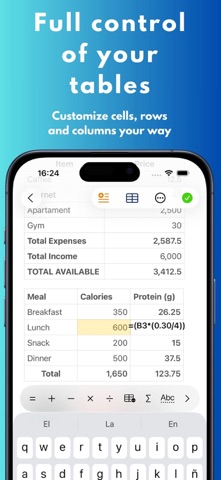
• Improved checklists with contextual progress, quick actions, and a clearer view of your tasks. • Smoother text editing, with more stable lists and cursor behavior. • Improved tables: you can now select multiple cells to format text and move more smoothly between content blocks. • Stability, accessibility, and overall experience improvements across iPhone and iPad.
In-app purchases · US
What this app sells inside itself, grouped by kind and priced for this storefront.
Screenshots





About
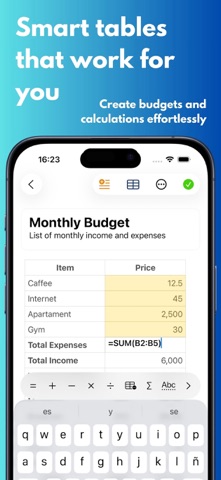
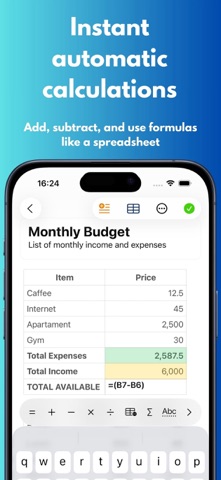
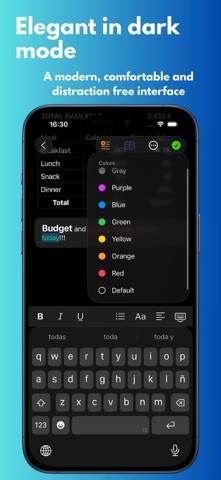
Notal Pro is a fast and elegant note-taking app designed for writing, organization, and powerful tables. Capture ideas quickly, structure your notes with rich text, and work with smart tables that feel natural inside your documents. Write without distractions, organize everything in one place, and turn simple notes into more useful workspaces with formulas, autosums, and integrated tables. Main Features: • Rich text notes with clean formatting • Integrated tables inside your notes • Automatic lists using “-”, “*”, “1.” and “@” • Pin notes instantly and keep them organized • Light and dark mode • Automatic iCloud sync • Minimal and modern interface • iPhone and iPad support Pro Features: • Advanced formulas in tables • Autosums and extra table operations • Enhanced formatting tools • Improved table workflows on iPad • Additional Pro improvements over time Notal Pro is a clean space to think, write, calculate, and stay organized. Terms of Use: https://www.apple.com/legal/internet-services/itunes/dev/stdeula/
What's new · 2.1.0
• Improved checklists with contextual progress, quick actions, and a clearer view of your tasks. • Smoother text editing, with more stable lists and cursor behavior. • Improved tables: you can now select multiple cells to format text and move more smoothly between content blocks. • Stability, accessibility, and overall experience improvements across iPhone and iPad.
Details