
Chart standing · US
What changed · US
Listing changes AppTracker has observed for this app in this storefront — new versions, price moves, rating shifts, and store copy.
- Date and time formats (free): 94 presets across the 7 system variables. - Title and line-break buttons on the keyboard: fill a subject, then the body. - Mark any profile as the default from the list. - Try the web version in a PC browser without installing the app. - Older .cliptap files are migrated on import; large libraries load faster. - Improvements were made to the UI and the program.
Screenshots




About
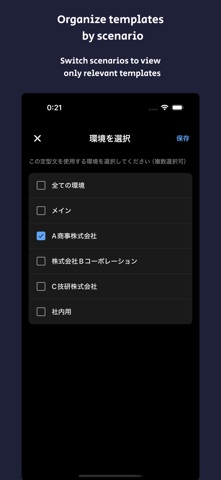
Stop retyping the same messages. ClipTap is a snippet keyboard and text expander for the phrases you send every day. Save a template once, switch to the ClipTap keyboard, and drop it straight into whatever app you are in - email, chat, social, your browser, an AI chat. No app-switching, no copy-and-paste. The ClipTap keyboard only inserts your saved text; for regular typing, switch back to your usual keyboard. CLIPTAP IS FOR YOU IF YOU - Send the same emails and canned replies all week, with a different signature for each role - Reuse the same captions, hashtag sets and bios - Send quotes, invoices and reminders, and keep client details on your device - Reach for the same code snippets, commands and API examples - Keep a library of AI prompts you reuse WHAT YOU CAN DO A text expander you tap, not abbreviations you memorize Save any phrase: a greeting, a canned reply, a whole email, a code snippet, a prompt. One tap in the app copies it, or tap its title to copy just the title. Unlimited templates and categories, even free. The snippet keyboard, in any app Filter by category, switch profile and reorder the list without leaving the keyboard. Title and line-break buttons fill a subject line and then the body in one go. On iOS it works without Full Access; grant it and keyboard use also counts towards the usage ranking. Android needs nothing extra. Variables for the parts that change Seven system variables - {{today}}, {{now}}, {{time}}, {{year}}, {{month}}, {{day}}, {{weekday}} - fill in the date and time as you insert. Custom variables like {{name}} or {{company}} hold your own details: enter them once, reuse everywhere. Free: 5. Pro: unlimited. 94 date and time formats Pick the output format for each system variable from 94 presets in total, 34 for the date alone: 2026/08/04, 08/04/2026, 04/08/2026, 09:05, Tue, Tuesday. Preview against the real date; every template using that variable follows at once, in the app and on the keyboard. All 94 are free. Profiles for every hat you wear Profiles like "Company A", "Side project" and "Personal" each keep their own variable values, so one template comes out with a different company name, title and signature. Free: 3. Pro: unlimited. A prompt library for AI chats Keep the instructions you reuse - summarize, translate, rewrite, review - as templates, add variables so only the date or project name changes, and insert them from the keyboard. Categories, search and sorting Group templates into Work, Social, Prompts or Code, color-coded from 12 presets, search titles and bodies, and sort four ways, including most used. The web version: free, nothing to install Organize a large library on a big screen in a PC browser, then move it to your phone as a .cliptap file. No app yet? Start from the free starter file. EVERYTHING STAYS ON YOUR DEVICE Templates, variables and profiles stay in your phone's storage. No cloud sync, no automatic upload. ClipTap goes online only for subscription checks, sign-in and ads; every core feature works offline, and no account is needed. It asks for no location, camera, photo or microphone permission - those requests were removed in this version. Changing phones? Export everything, or just what you pick, as a .cliptap file and import it on the other device with the password you set. A checksum rejects damaged files. FREE AND PRO Free: unlimited templates and categories, the snippet keyboard, all 7 text expander variables with all 94 format presets, 3 profiles, 5 custom variables. Pro (monthly or yearly): no ads, unlimited profiles and custom variables. Pricing varies by country or region - see the purchase screen in the app, or this store page, for the current price. Billing runs through your store account, cancel any time. FROM THE DEVELOPER I built ClipTap so the time you spend retyping the same sentences goes back to work that actually matters. iPhone, iPad and Android (iOS 17.0+, Android 7.0+). Dark mode, English and Japanese.
What's new · 1.3.0
- Date and time formats (free): 94 presets across the 7 system variables. - Title and line-break buttons on the keyboard: fill a subject, then the body. - Mark any profile as the default from the list. - Try the web version in a PC browser without installing the app. - Older .cliptap files are migrated on import; large libraries load faster. - Improvements were made to the UI and the program.
Details