

Screenshot Stitching: Scr.shot
Uladzislau Nasonau · Utilities
Independent analytics for this App Store listing. AppTracker is not affiliated with Uladzislau Nasonau.
Chart standing · US
Ratings breakdown · US
The star breakdown behind this app's rating in this storefront.
In-app purchases · US
What this app sells inside itself, grouped by kind and priced for this storefront.
Screenshots

About
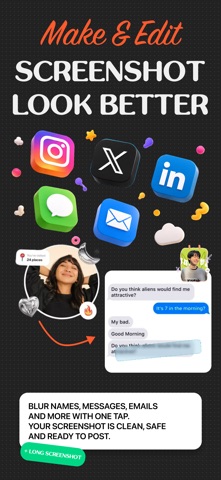
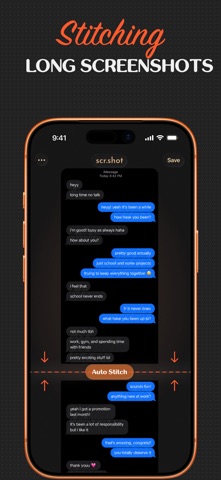
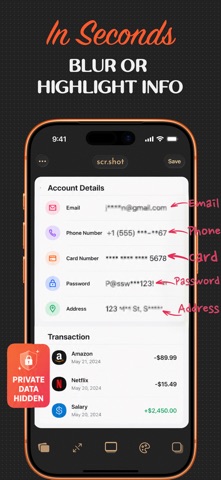
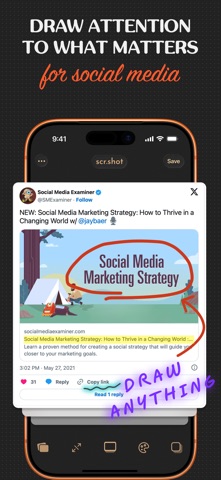
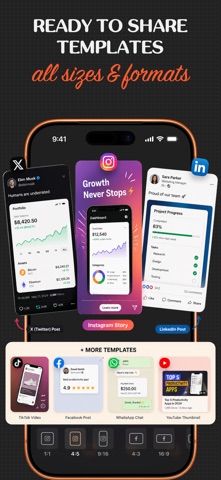
Scr.shot: create long screenshots, blur sensitive information, highlight important details, and customize screenshots in seconds. ScrShot combines screenshot stitching, markup tools, privacy protection, templates, and design customization in one simple app. Perfect for: • Conversations & chats • Receipts & invoices • Social media posts • Tutorials & guides • Bug reports & documentation • Instagram, X, LinkedIn & more Features: • Long screenshots & screenshot stitching • Auto and manual screenshot merge • Blur & pixelate private information • Draw, highlight and annotate • Social media templates • Custom backgrounds & shadows • Crop, resize and frame screenshots • High-quality export • Fast sharing anywhere • 100% private — processed on device Fast, simple, and intuitive! No complex tools or setup. Import your screenshot, choose a style, make quick edits, and export in seconds. Everything is designed to help you move fast while keeping your visuals clean and consistent. Why users choose scr.shot? • Clean and minimal interface focused on speed • High-quality exports ready for any platform • Flexible layouts and customization options • Full privacy — your data stays on your device Create without limits. Make every screenshot clear, styled, and ready to share with scr.shot. Privacy policy: https://sites.google.com/view/scrshot/privacy-policy Terms of use: https://sites.google.com/view/scrshot/terms-of-use
What's new · 1.1.1
Introducing Long Screenshots! • Stitch multiple screenshots into a single seamless image • Perfect for chats, webpages, documents, and more • Faster processing and improved export quality • Bug fixes and performance improvements
Details