

3D Lidar Scanner: Room Planner
BELKALABS PTE. LTD. · Utilities
Independent analytics for this App Store listing. AppTracker is not affiliated with BELKALABS PTE. LTD.
Chart standing · US
What changed · US
Listing changes AppTracker has observed for this app in this storefront — new versions, price moves, rating shifts, and store copy.
Price & rating history · US
Reconstructed from the listing changes AppTracker has observed in this storefront. A field is charted once it has changed more than once, and each line starts at the value it moved from.
Average rating · ★ 4.17 now · 2 changes on record
Ratings breakdown · US
The star breakdown behind this app's rating in this storefront.
Screenshots

About
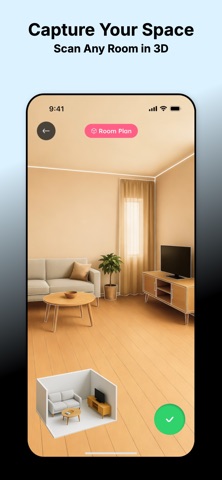
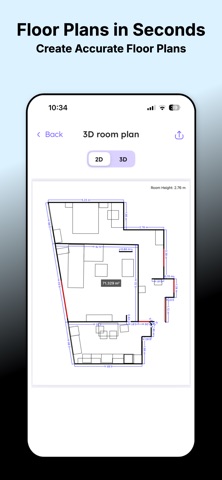
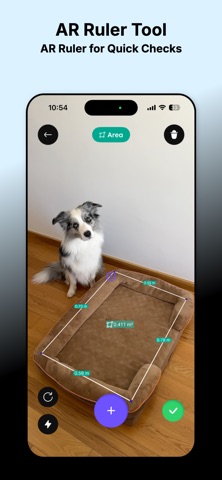
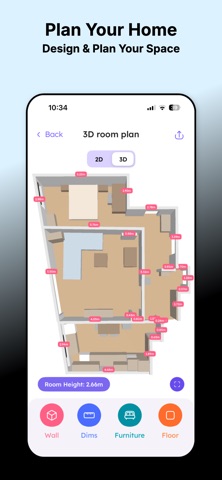
3D Lidar Scanner: Room Planner – Measure & Plan in Seconds Turn your iPhone or iPad into a smart tape measure for your home. 3D Lidar Scanner: Room Planner uses LiDAR and AR to quickly capture rooms, measure distances, and create floor plans – perfect for renovations, furniture planning, or quick checks around the house. Key Features: • Room Plan in 3D – Scan your space with LiDAR and generate a 3D room layout with accurate dimensions • AR Tape Measure – Measure length, height, and distance directly in your camera view • Area & Surface Calculation – Quickly calculate floor, wall, or object areas for paint, flooring, or furniture planning • Floor Plan Creator – Build simple, clear floor plans to share with family, contractors, or designers • Measurement History – Save your scans and measurements and revisit them anytime • Clean, Fast Interface – Minimal, intuitive design focused on precision and speed Whether you’re moving into a new place, planning a remodel, rearranging furniture, or just checking if that sofa fits – 3D Lidar Scanner: Room Planner makes it easy to get reliable measurements without a physical tape measure. LiDAR & Device Compatibility 3D room scanning and LiDAR-powered features require a device with a LiDAR sensor (for example, iPhone 12 Pro or later Pro models, and recent iPad Pro models with LiDAR). On other AR-capable devices, you can still use the AR ruler and basic measurement tools. Privacy Policy: https://www.belkalabs.com/privacy Terms of Use: https://www.belkalabs.com/terms
What's new · 1.1.1
Dear Reviewer, In this version, we: - added sorting of plans and measurements - added an example (so users understand how things work) - added improved display of windows and doors in the 2D plan - fixed several minor bugs Thank you for using our app.
Details