

QR Codes Generator & Scanner
Uniqode Phygital, Inc. · Utilities
Independent analytics for this App Store listing. AppTracker is not affiliated with Uniqode Phygital, Inc.
Chart standing · US
What changed · US
Listing changes AppTracker has observed for this app in this storefront — new versions, price moves, rating shifts, and store copy.
Users get more accurate scan tracking in batch mode — analytics are recorded even without an internet connection, syncing automatically once you're back online.
Price & rating history · US
Reconstructed from the listing changes AppTracker has observed in this storefront. A field is charted once it has changed more than once, and each line starts at the value it moved from.
Average rating · ★ 4.49 now · 6 changes on record
Ratings breakdown · US
The star breakdown behind this app's rating in this storefront.
In-app purchases · US
No in-app purchases.
Screenshots




About
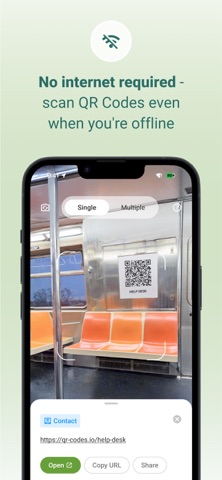
The QR Codes Generator & Scanner is your all-in-one iOS app for scanning QR codes and barcodes, and for creating fully customizable QR Codes with speed and accuracy. It works as a fast and reliable QR and barcode scanner, and a fully customizable QR Code maker — perfect for daily use, retail, marketing, education, events, and personal sharing. Scan anything instantly: product packaging, menus, bills, ID cards, barcodes in stores, tickets, coupons, app links, and more. Create branded QR Codes with colors, patterns, borders, and templates whenever you need. Why Choose the QR Codes Generator & Scanner app? - Lightweight and battery-friendly - Create custom QR Codes with colors, patterns, and templates - Generate QR Codes for URL, SMS, Email, contact, text, & more - Save, edit, and re-use your previously generated QR Codes anytime - Privacy-first — all scan data stays on your device - Safe link preview before opening URLs - Fast QR & barcode detection with real-time autofocus - Offline scanning — no internet required - Bulk scan mode for multiple codes at once - Scan QR Codes directly from gallery images - Works on small, blurry, low-light, or damaged QR Codes & barcodes QR Code Generator Features & Customization Create unique, branded, and professional QR Codes in seconds. Customization Tools - Choose solid colors or gradient color styles - Select QR patterns: dots, squares, rounded shapes - Customize eye shapes and border styles - Use ready-made QR templates for business, personal, and social sharing Creator Features - Real-time design preview - High-resolution PNG/JPG downloads - Save created QR Codes in history for future use - Static QR creation for URL, contact, text, phone, SMS, email, and more - Ideal for menus, posters, product packaging, business cards, event tickets, brochures, and digital payments QR Code Scanner Features The scanner detects QR Codes and barcodes instantly the moment they appear in the camera frame. No buttons, no extra steps. - Auto-detection for all QR Codes and barcodes - Scan QR Codes directly from gallery photos - Flashlight support for dim environments - Bulk scanning mode for scanning many codes quickly - Quick actions: open links, save contacts, connect to Wi-Fi, copy text, call numbers, send email, share instantly - View complete scan details with clean formatting - Searchable scan history with export options - Supports all major barcodes, including UPC, EAN, ISBN, Code 128, Code 39, ITF, and more - Optimized for high accuracy even with angled, faded, or low-light codes Supported Scan Types - Website URLs - Contact cards (vCard) - Text - Email - Phone numbers - SMS - Wi-Fi networks - Calendar events - Location GPS coordinates - App links - Social media profiles - Business pages - All common barcodes Supported QR Code Types for Generator - URL - Contact card - Phone - Email - SMS - Text - Phone number How to Scan a QR Code 1. Open the app and tap Scan 2. Point the camera at the QR Code/Barcode 3. The code is detected instantly 4. Tap the action: open link, connect to Wi-Fi, save contact, or share 5. Access previous scans in the History tab How to Create a QR Code 1. Tap Generate 2. Choose a QR type: URL, SMS, contact, Email, etc. 3. Enter your details 4. Customize colors, patterns, and templates 5. Download, copy or share instantly Extra Tips - Use good lighting for best scanning accuracy - Ensure printed QR Codes have strong contrast - Keep QR Codes at least 2×2 cm - Avoid blurry images when generating QR Codes - Always test your QR before publishing or printing Safe, Private, and Easy to Use The QR Codes Generator & Scanner app stores everything locally on your device. Nothing is uploaded or shared. It requires only essential permissions — camera for scanning and storage for saving your QR designs. Support support@the-qrcode-generator.com
What's new · 1.0.14
Users get more accurate scan tracking in batch mode — analytics are recorded even without an internet connection, syncing automatically once you're back online.
Details