

utter - Dictation, Voice Notes
Third Tech Ltd · Productivity
Independent analytics for this App Store listing. AppTracker is not affiliated with Third Tech Ltd.
Chart standing · US
What changed · US
Listing changes AppTracker has observed for this app in this storefront — new versions, price moves, rating shifts, and store copy.
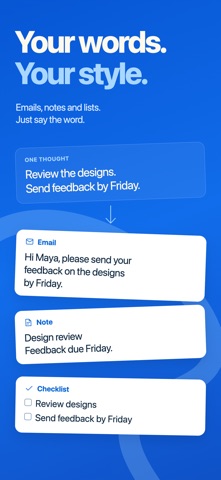
This update improves recording, makes transcripts easier to find and edit, and refines the Utter keyboard and Live Activities. - Sync audio recordings through iCloud and find transcripts with Spotlight. - Browse a refreshed model library with clearer choices and more consistent selection. - Get more natural Smart mode formatting for notes, messages, and emails. - Enjoy more reliable recording controls when moving between Utter, the keyboard, and other apps. - Use the keyboard for ordinary typing before enabling Full Access for dictation. - See updated recording timers, waveforms, and controls on the Lock Screen and Dynamic Island. - Keep editing formatted transcripts more reliably after returning to Utter.
Ratings breakdown · US
The star breakdown behind this app's rating in this storefront.
In-app purchases · US
What this app sells inside itself, grouped by kind and priced for this storefront.
Screenshots





About
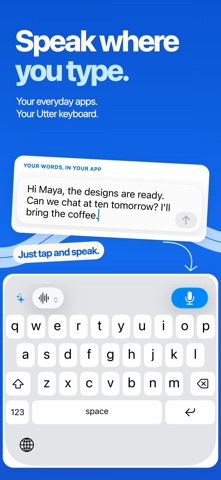
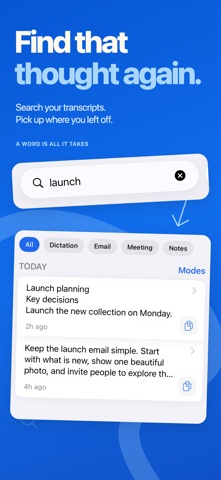
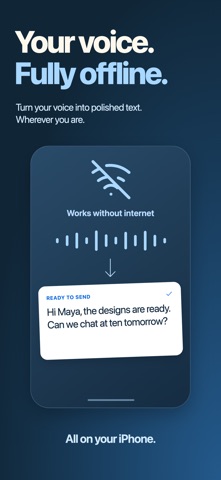
Turn your voice into useful text with Utter. Dictate messages, capture ideas, and transcribe recordings on your iPhone or iPad. WORK WITHOUT INTERNET Turn on Offline Mode in Settings on a compatible iPhone to dictate and rewrite without an internet connection. Download the required models once, then process your words on your device. WRITE WITH YOUR VOICE Use the Utter keyboard in apps that support custom keyboards. Speak naturally, then use AI writing tools to clean up, rewrite, or summarise your text. The keyboard requires Full Access. KEEP YOUR IDEAS TOGETHER Record voice notes, import audio, and search your transcripts. Add your own vocabulary and choose writing modes for different tasks. CHOOSE YOUR MODELS Browse speech and language models, choose defaults, and manage downloads. Use supported on-device models or cloud services, or connect supported providers with your own API key. Availability, languages, live transcription, and speaker labelling depend on the model and device. Cloud models send the content needed for processing to the selected service. START QUICKLY Use widgets, Shortcuts, and the share sheet to bring recording and audio import into your everyday workflow. Some features require Utter Pro or a provider API key. Terms: https://utter.to/terms Privacy: https://utter.to/privacy
What's new · 1.14
This update improves recording, makes transcripts easier to find and edit, and refines the Utter keyboard and Live Activities. - Sync audio recordings through iCloud and find transcripts with Spotlight. - Browse a refreshed model library with clearer choices and more consistent selection. - Get more natural Smart mode formatting for notes, messages, and emails. - Enjoy more reliable recording controls when moving between Utter, the keyboard, and other apps. - Use the keyboard for ordinary typing before enabling Full Access for dictation. - See updated recording timers, waveforms, and controls on the Lock Screen and Dynamic Island. - Keep editing formatted transcripts more reliably after returning to Utter.
Details