

Photo to PDF Converter - Pic2P
Anmol Kulshreshtha · Productivity
Independent analytics for this App Store listing. AppTracker is not affiliated with Anmol Kulshreshtha.
Chart standing · US
What changed · US
Listing changes AppTracker has observed for this app in this storefront — new versions, price moves, rating shifts, and store copy.
Price & rating history · US
Reconstructed from the listing changes AppTracker has observed in this storefront. A field is charted once it has changed more than once, and each line starts at the value it moved from.
Average rating · ★ 4.76 now · 2 changes on record
Ratings breakdown · US
The star breakdown behind this app's rating in this storefront.
In-app purchases · US
What this app sells inside itself, grouped by kind and priced for this storefront.
Screenshots


About
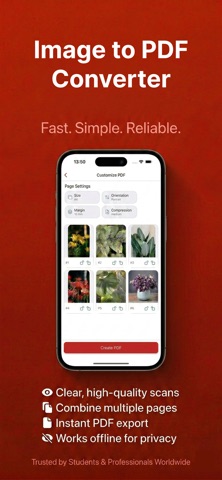
Photo to PDF Converter – Easy & Fast Turn your photos into high-quality PDF files in just seconds. Whether it’s JPEG, PNG, or any image from your gallery or camera, this app makes conversion effortless and accurate. Key Features: • Convert images (JPEG, PNG, JPG) to PDF instantly • Select multiple photos and combine them into one PDF • Rearrange images before converting • Crop and rotate photos easily • High-quality PDF output without losing clarity • Save, share, or print your PDF in one tap How It Works: 1. Choose photos from gallery or capture with camera 2. Arrange them in the desired order 3. Tap convert — your PDF is ready Perfect for: • Documents and receipts • Assignments and notes • Certificates and ID proofs • Work reports and images No watermarks. No signup. Just fast and simple photo-to-PDF conversion. Ready to convert your images into PDFs? Download now and make it effortless! SUBSCRIPTION DETAILS Payment is charged to your iTunes account upon purchase. Subscriptions auto-renew unless turned off at least 24 hours before renewal. Manage subscriptions in your Account Settings. If a free trial is available, any unused portion is forfeited upon purchase. Terms of Use: https://imagetopdftermsofuse.vercel.app Privacy Policy: https://imagetopdf-opal.vercel.app
What's new · 1.0.5
• Faster and more reliable photo to PDF converter with improved image processing • Better support for pic, JPEG, and image to PDF conversion with enhanced output quality • Smoother photo / image to PDF creation flow and improved PDF list management • UI polish, performance improvements, and bug fixes
Details