

Weblock Browser
App Machine SIA · Utilities
Independent analytics for this App Store listing. AppTracker is not affiliated with App Machine SIA.
Chart standing · US
What changed · US
Listing changes AppTracker has observed for this app in this storefront — new versions, price moves, rating shifts, and store copy.
Bug fixes and stability improvements.
Price & rating history · US
Reconstructed from the listing changes AppTracker has observed in this storefront. A field is charted once it has changed more than once, and each line starts at the value it moved from.
Average rating · ★ 4.42 now · 2 changes on record
Ratings breakdown · US
The star breakdown behind this app's rating in this storefront.
In-app purchases · US
What this app sells inside itself, grouped by kind and priced for this storefront.
Screenshots

About
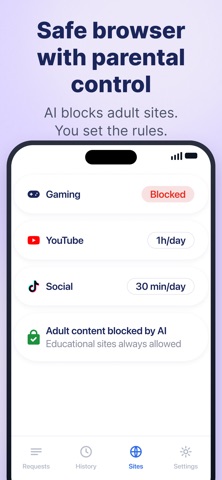
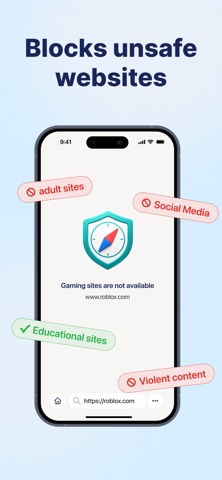
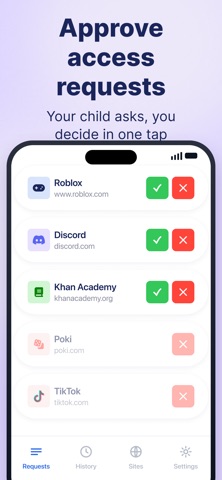
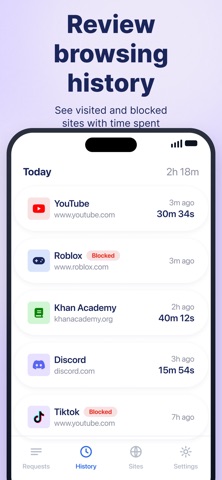
Replace Safari with a browser you control. Weblock is an AI-powered safe browser that blocks harmful content, limits screen time, and gives you full control — right from your phone. *** How it works Install Weblock on your child's iPhone or iPad. Set up browsing rules — and the safe browser is ready. You choose what's allowed, AI handles the rest. *** AI-Powered Protection Weblock uses AI to evaluate every website your child visits in real time. Inappropriate content is blocked automatically — before your child sees it. You'll see why a site was blocked, so you can make informed decisions without visiting harmful sites yourself. *** Screen Time Limits Set daily time limits for each category: • YouTube — 1 hour per day • Social Media — 30 minutes per day • Gaming Sites — blocked entirely Customize the limits to fit your family. When the time is up, the site is automatically blocked until the next day. *** What's always on • Google Search with safe search enforced • Educational and school sites — always allowed • Adult and dangerous content — always blocked by AI *** Ad-Free Browsing Built-in ad blocker removes ads, pop-ups, and trackers. Your child gets a clean, distraction-free browsing experience. *** Approve & Deny in Real Time When your child tries to visit a new site, you get a notification. Approve or deny with one tap — right from your phone. You stay in control without hovering over their shoulder. *** Full Browsing History See every site your child visits, how long they spend on each, and which sites were blocked. Complete transparency, zero guesswork. *** Manage Bookmarks Remotely Add your child's favorite sites — school portal, Khan Academy, Wikipedia — so they're one tap away. Edit or remove bookmarks anytime from your device. *** Easy to get started 1. Install Weblock on your child's device. 2. Set browsing rules. 3. Done — the safe browser is ready. Optional: Install Weblock on your own phone and pair to approve sites and view history remotely. *** Designed for families & schools Weblock fits home learning, homework stations, and classroom iPads. Curated bookmarks and category rules keep attention on the task. *** Subscription Weblock requires a subscription to use parental control features. Start with a free trial. Subscriptions automatically renew unless canceled at least 24 hours before the end of the current period. Terms of Use: https://weblock.online/terms_of_use Privacy Policy: https://weblock.online/privacy_policy
What's new · 1.21.2
Bug fixes and stability improvements.
Details