

Compress Video: Resize, Shrink
Daniil Kabachuk · Utilities
Independent analytics for this App Store listing. AppTracker is not affiliated with Daniil Kabachuk.
Chart standing · US
What changed · US
Listing changes AppTracker has observed for this app in this storefront — new versions, price moves, rating shifts, and store copy.
- See the predicted file size before you compress - New quality levels: Best quality, Balanced, Smallest - Smarter detection of videos that can't shrink further - More accurate library savings and a refreshed look
Price & rating history · US
Reconstructed from the listing changes AppTracker has observed in this storefront. A field is charted once it has changed more than once, and each line starts at the value it moved from.
Average rating · ★ 4.50 now · 3 changes on record
Ratings breakdown · US
The star breakdown behind this app's rating in this storefront.
In-app purchases · US
What this app sells inside itself, grouped by kind and priced for this storefront.
Screenshots
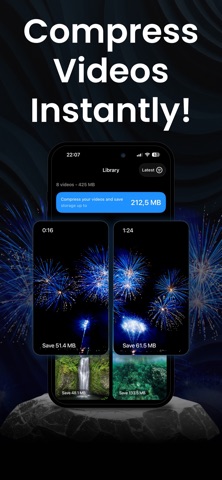


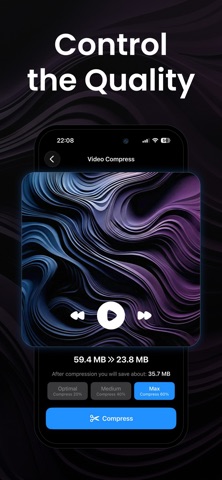


About
Compress Video shrinks iPhone videos in seconds — reclaim gigabytes of storage without losing quality you can see. Up to 60% smaller. No watermarks. No uploads. No ads. Everything stays on your device. Send 4K videos via iMessage, WhatsApp, Telegram, or email — no more "file too large." WHY COMPRESS VIDEO? - Save iPhone Storage — reclaim gigabytes by compressing 4K, slow-mo, and high-fps videos - Keeps Your Timeline — compressed videos keep the original date, location, and album, so your camera roll stays in perfect order - Replace in One Tap — swap the original for the compressed version and watch the gigabytes come back - Quality You Control — pick Best quality, Balanced or Smallest, and see the predicted file size for each before you compress - Resize Resolution — keep the original, or downscale to 1080p, 720p, or 480p - Convert Formats — MOV to MP4 and back in one tap, H.264 or HEVC - Lightning Fast — hardware-accelerated compression in seconds, not minutes - No Watermarks — your videos stay yours - 100% Private — videos never leave your device - Works Offline — no internet required PERFECT FOR: - Fixing "Storage Almost Full" alerts without deleting memories - Sending videos via iMessage, WhatsApp, Telegram, Signal, or email - Faster uploads to Instagram, TikTok, and YouTube - Backing up more to iCloud, Google Drive, or Dropbox - Compressing iCloud videos — originals download automatically when needed - Archiving memories without filling your phone HOW IT WORKS: 1. Select a video from your library 2. Pick Best quality, Balanced or Smallest — each shows its predicted size 3. Tap Compress — then keep both, or replace the original REAL RESULTS: - 415 MB → 175 MB (~58% smaller) - 200 MB → 120 MB (~40% smaller) - 100 MB → 80 MB (~20% smaller) GOOD TO KNOW: Best quality is tuned so the difference is invisible at normal viewing. Balanced and Smallest trade some detail for bigger savings — and each level shows its predicted size before you compress, so you always choose. PRIVACY FIRST: All processing happens locally on your iPhone using Apple's native video frameworks. No cloud. No servers. Your videos never leave your device. SUPPORTED FORMATS: .mp4, .mov, .m4v — H.264 and HEVC, with resolution options from original down to 480p. Works with all iPhone video types. PRO SUBSCRIPTION: Compress Video offers auto-renewing weekly and yearly subscriptions for unlimited compression. Prices are shown in the app and may vary by region. Payment is charged to your Apple ID at purchase confirmation. Subscriptions renew automatically unless cancelled at least 24 hours before the end of the current period. Manage or cancel anytime in Settings → Apple ID → Subscriptions. Any unused portion of a free trial is forfeited when you purchase. Privacy Policy: https://compressor-ai.web.app/privacy.html Terms of Use: https://compressor-ai.web.app/terms.html Download Compress Video and reclaim your storage today.
What's new · 1.8.0
- See the predicted file size before you compress - New quality levels: Best quality, Balanced, Smallest - Smarter detection of videos that can't shrink further - More accurate library savings and a refreshed look
Details