

Chief As-Built
Chief Architect Inc · Productivity
Independent analytics for this App Store listing. AppTracker is not affiliated with Chief Architect Inc.
Chart standing · US
What changed · US
Listing changes AppTracker has observed for this app in this storefront — new versions, price moves, rating shifts, and store copy.
- Added the ability to create photo annotations - Added the ability to save photos when scanning a room - Added the ability for a client to perform a scan remotely and have it upload onto your account - Various bug fixes and stability enhancements
Price & rating history · US
Reconstructed from the listing changes AppTracker has observed in this storefront. A field is charted once it has changed more than once, and each line starts at the value it moved from.
Average rating · ★ 3.43 now · 2 changes on record
Ratings breakdown · US
The star breakdown behind this app's rating in this storefront.
In-app purchases · US
No in-app purchases.
Screenshots



About
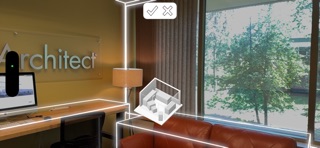
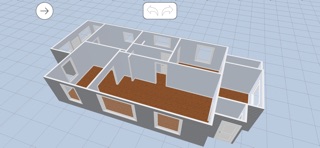
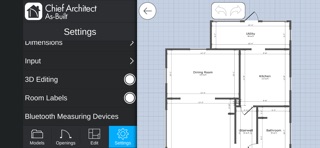
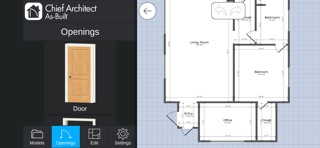
Capture 3D floor plans of rooms by scanning or drawing on your iPhone or iPad. Make edits and import them directly into Chief Architect’s desktop software to begin remodeling. The As-Built app helps you quickly document existing room conditions. Even your clients can scan their rooms for you, saving you time. Remodeling has never been easier! The As-Built app uses the built-in LiDAR sensors on your iPhone or iPad to create a 3D model of your space. As you point your device around the room, moving up and down, you see the 3D model take shape. LiDAR (Light Detection and Ranging) uses pulsed lasers to measure distances and generate 3D models. Once the scan is complete, you can view the result in 3D and further edit it, for example, by entering exact dimensions from the screen or using a connected Bluetooth laser for precise measurements. There are also tools to add text notes and room and wall tools to refine the space. When you’re done, share the model in the cloud and access it with Chief Architect’s desktop design software to begin the remodel process.
What's new · 26.3.0
- Added the ability to create photo annotations - Added the ability to save photos when scanning a room - Added the ability for a client to perform a scan remotely and have it upload onto your account - Various bug fixes and stability enhancements
Details