

Votura – Audio Travel Guide
Jevgenijs Labonarskis · Travel
Independent analytics for this App Store listing. AppTracker is not affiliated with Jevgenijs Labonarskis.
Chart standing · US
What changed · US
Listing changes AppTracker has observed for this app in this storefront — new versions, price moves, rating shifts, and store copy.
- Referral system fixes
Ratings breakdown · US
The star breakdown behind this app's rating in this storefront.
Screenshots



About
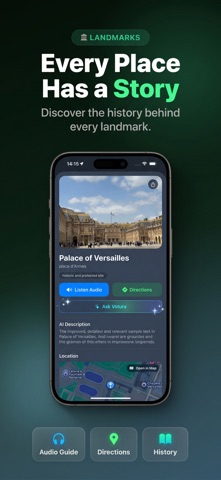
Explore nearby Filter by category (Castles, Museums, Parks & Gardens, Religious & Spiritual Sites, Attractions & Theme Parks, Arts & Heritage, Natural Wonders & Scenic Spots, Landmarks & Heritage,Cemeteries, Breweries/Wineries/Distilleries), set a distance radius, then search within those filters. Open a place to see an AI description and preview walking, driving, or cycling time and distance. Tap Listen Audio to hear the story. Build your own tours Create custom tours by choosing transport (Walking, Bicycle, Car), tour duration (1–8 hours), search radius, and the categories you want. Votura generates the route, stop descriptions, and audio for you. Start the tour for an on-screen guidance banner with maneuvers, remaining distance, and ETA. Scan Artifact See something interesting on your tour — a statue, a plaque, a painting, an old cannon? Point your camera at it and tap Scan Artifact. Votura identifies it and gives you an instant narrated answer, right in chat. Play it your way While one story is playing, tapping Listen Audio on another place adds it to your queue. Pick any track from "n tracks in queue" or press Next — audio doesn't auto-start just by selecting another item. Full player controls include previous/next, rewind/forward, play/pause, and a scrubber. Now with CarPlay support for hands-free audio on the road. Personalize settings Choose your playback speed (0.5× to 2×) and language for audio/content (English, Spanish, French, German, Italian, Portuguese, Russian, Japanese, Korean, Chinese, Arabic, Hindi). Switch km/mi, set a default search radius, pick preferred categories, and set tour preferences (transport & ideal duration). Changes save automatically. Save, rate & share Favorite places and tours for quick access, rate with a 10-star modal, and share via the iOS share sheet. In-app purchases Buy premium to keep listening whenever you like. Terms of Use (EULA): https://votura.app/terms-of-service Privacy Policy: https://votura.app/privacy-policy
What's new · 3.2.0
- Referral system fixes
Details