

Agave: Photo Montage
Thomas Plets · Graphics & Design
Independent analytics for this App Store listing. AppTracker is not affiliated with Thomas Plets.
Chart standing · US
Ratings breakdown · US
The star breakdown behind this app's rating in this storefront.
Screenshots



About
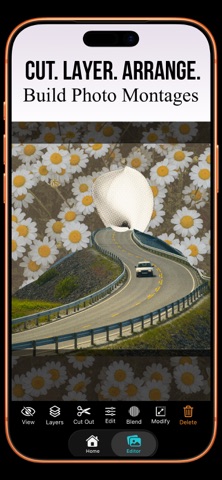
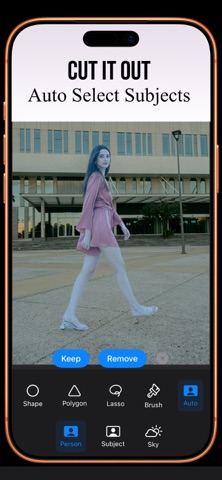
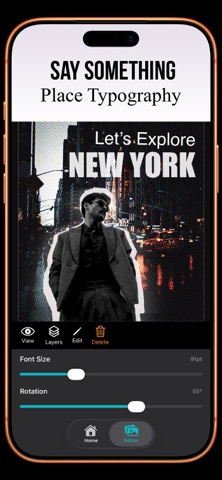
Cut. Layer. Arrange. Repeat. Build aesthetic photo montages and digital art. It's like cutting and pasting from old magazines; just without the paper-cuts and glue stains. Agave is made for hands-on creators. It gives you a freeform canvas designed for artistic freedom – not rigid templates Yes, there’s AI powered smart selection to make cutting easier. But this isn’t about automation. It’s about making something yourself. Feature List: • Freeform Canvas – Arrange images anywhere without grids or limits. • Cut-Out Tools – Brush, shape, polygon, or auto-select subjects. • Unlimited Layers – Add as many photos as you like. • Color & Tone Controls – Unify your artwork with lighting and mood adjustments. • Creative Filters & Effects – Add atmosphere, texture, and personality. • Custom Text Placement – Integrate expressive typography anywhere. • Stroke & Outline Effects – Make subjects stand out with bold graphic depth. Agave is perfect for: • Vintage-inspired montage art • Album-style compositions • Digital scrapbook aesthetics • DIY visual storytelling • Even the occasional thumbnail No subscriptions. No accounts. Start with a 7-day free trial — unlock permanent use with a single one-time purchase.
What's new · 1.2.1
-Free trial period added. -Minor bug fixes.
Details