

Compress PDF 1MB,500KB,200KB
Cristian Andrei Romascu Radu · Utilities
Independent analytics for this App Store listing. AppTracker is not affiliated with Cristian Andrei Romascu Radu.
Chart standing · US
What changed · US
Listing changes AppTracker has observed for this app in this storefront — new versions, price moves, rating shifts, and store copy.
Performance improvements and bugfixes
In-app purchases · US
No in-app purchases.
Screenshots



About
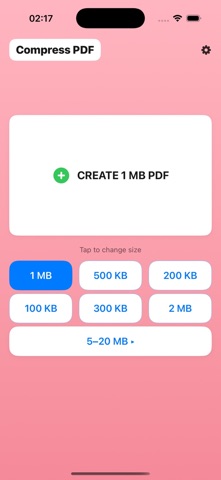
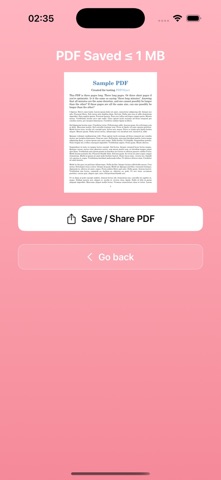
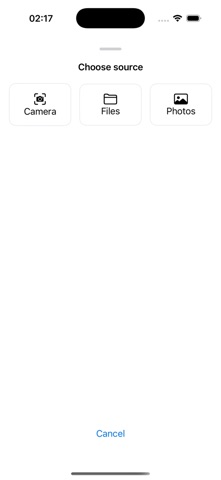
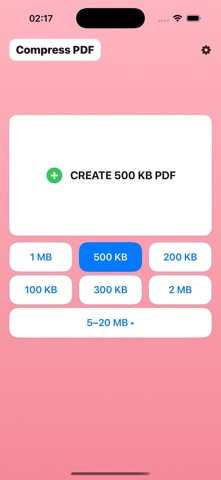
Compress PDF or photo in one tap: exact sizes: ≤1MB, 500KB, 200KB (more: 100KB, 300KB, 5MB, 10MB, 20MB). No account, no uploads - fast, private, on-device. Why this app • One-tap sizes up front: buttons for 1MB, 500KB, 200KB. Extra: 100KB, 300KB, 2MB. “More sizes” for 5–20MB. • Photo → PDF at your chosen size Great for passport/ID photos, receipts, forms, scans. • PDF → smaller PDF: reduce file size while keeping text readable. • On-device processing: no account, no uploads—your files stay private. • Instant export: Save or Share to Files, Mail, Messages, Drive, etc. How it works 1. Pick a target size (e.g., ≤1MB, 500KB, 200KB). 2. Choose source: Camera, Photos, or Files (photo or PDF). 3. The app creates/compresses your PDF to the selected limit. Great for • Sites that require ≤1MB or ≤500KB uploads • Email attachments with strict limits • IDs, diplomas, contracts, signed documents Included sizes (priority) • ≤1MB (default) • 500KB, 200KB • 100KB, 300KB, 2MB • More sizes: 5MB, 10MB, 20MB Privacy All processing happens on your device. We don’t upload your documents. Need a different size? Tell us the size you need.
What's new · 1.1
Performance improvements and bugfixes
Details