

DoCoFile: Easily Edit Document
Conteza LLC · Business
Independent analytics for this App Store listing. AppTracker is not affiliated with Conteza LLC.
Chart standing · US
What changed · US
Listing changes AppTracker has observed for this app in this storefront — new versions, price moves, rating shifts, and store copy.
Performance enhancement Bug Fixes
In-app purchases · US
What this app sells inside itself, grouped by kind and priced for this storefront.
Screenshots




About
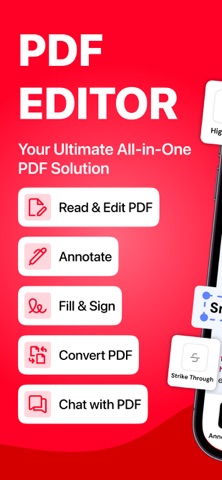
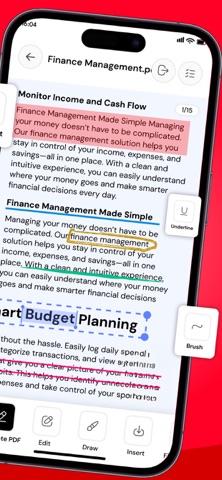
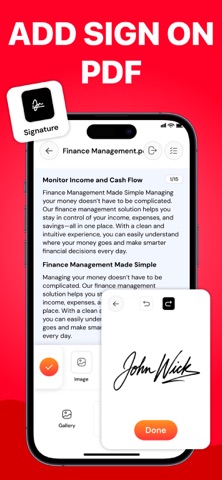
PDF Editor: Edit, Read, Sign & Convert PDF Manage all your documents in one place with PDF Editor, an all in one app to edit, read, sign, convert, and analyze PDF files. Whether you need to update a document, add an electronic signature, read a PDF, or get quick answers with AI, this PDF editor app gives you the tools to handle your documents easily. Edit PDF Documents with Ease Make changes to your PDF files without complicated steps. Edit existing text, correct errors, add new text, and insert images to customize your documents. Whether you're updating a report, modifying a form, or preparing a professional document, use the PDF editor to make your files look the way you want. PDF Editing Features: Edit existing text and update PDF content. Add new text and insert images into documents. Make changes to PDF files with easy editing tools. Customize documents for personal or professional use. Read PDF Files Anytime, Anywhere Enjoy a smooth PDF reading experience with the built-in PDF reader. Open and view your documents, navigate through pages, and access important information whenever you need it. Use reading tools to highlight important text, add comments, and listen to documents with text-to-speech. PDF Reader Features: Open and read PDF documents with ease. Highlight important text and passages. Add comments and notes to PDF files. Access your documents for convenient reading. Sign PDF Documents Electronically Sign PDF files directly in the app without printing or scanning documents. Add your electronic signature to contracts, forms, agreements, and other important files. Complete your paperwork digitally and keep your document workflow simple. PDF Signature Features: Add electronic signatures to PDF documents. Sign forms, agreements, and business documents. Complete paperwork digitally. Make signed documents ready to share. AI PDF Chat, Summary & Analysis Understand lengthy documents faster with the AI powered PDF assistant. Chat with your PDF, ask questions about its content, and get relevant answers without manually searching through every page. Summarize lengthy files, identify key information, and analyze document content to make reading and reviewing easier. AI PDF Features: Chat with PDF files and ask questions. Generate summaries of lengthy documents. Analyze PDF content and identify key points. Find information and understand documents faster. Get AI-powered assistance while reviewing files. Convert PDF Files to Different Formats: Convert documents to and from PDF using the built-in PDF converter. Whether you need to change a PDF into another file format or convert supported files into PDF, manage your document conversions in one convenient place. Why Use PDF Editor? PDF editor for updating text and images. AI PDF chat for questions, summaries, and analysis. PDF converter for supported file formats. Multiple document tools in one convenient app. Whether you're a student reviewing study materials, a professional managing business documents, or someone handling everyday paperwork, PDF Editor helps you work with PDF files more efficiently. Download PDF Editor today to edit, read, sign, chat with AI, and convert your documents in one place! Note: Payment will be charged to your iTunes account at confirmation of purchase. Your subscription will automatically renew unless auto-renew is turned off at least 24-hours before the end of the current subscription period. Your account will be charged for renewal within 24-hours prior to the end of the current subscription period. The auto-renewal will cost the same price you were originally charged for the subscription. You can manage your subscriptions and turn off auto-renewal by going to your Account Settings on the App Store after purchase. Read our Terms of Service and Privacy Policy for more information. Privacy Policy: https://conteza.com/privacy-policy.html Terms of Use: https://conteza.com/terms-and-conditions.html
What's new · 1.2
Performance enhancement Bug Fixes
Details