

Compress AI: Anything File
Diep Quoc Vuong · Utilities
Independent analytics for this App Store listing. AppTracker is not affiliated with Diep Quoc Vuong.
Chart standing · US
What changed · US
Listing changes AppTracker has observed for this app in this storefront — new versions, price moves, rating shifts, and store copy.
Fix bug Fast Crompress
In-app purchases · US
What this app sells inside itself, grouped by kind and priced for this storefront.
Screenshots


About
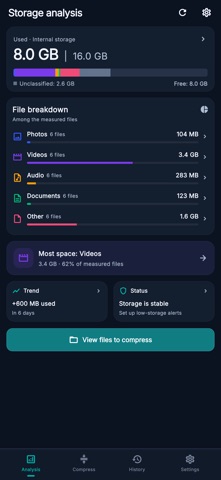
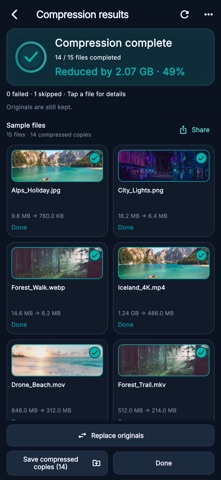
Large files taking up space or making sharing difficult? File Compressor: Smart Batch helps you reduce file size for photos, videos, audio and documents in one batch. Select your files, choose a compression level and review the results. See the original size, compressed size and percentage reduced, then save or share the files you need. • Compress multiple files Select several files from a thumbnail grid and process them together. Filter by file type, search by name, and sort by largest, newest or name to find where to start. • Photo and video compression Make supported photos and videos smaller with quality and size controls. Choose a preset or adjust the available image quality, video resolution and codec settings for your device. • PDF compression with optional OCR Create a smaller PDF by converting its pages to compressed images and rebuilding the document. Enable OCR to add recognized text for search and copying. This mode keeps the original file; interactive forms, links and digital signatures are not preserved. Results depend on the document and selected quality. • Audio and documents Compress supported audio to M4A/AAC. Use lossless GZIP compression for documents and other readable files, including text, spreadsheets, logs and backups. GZIP creates individual .gz files that need to be extracted before opening. • Understand your storage See total, used and available device storage, with a color breakdown of accessible file types. Find large files and enable low-storage reminders to help you decide what to review next. • Review, keep and share Keep compressed copies separately, or choose to replace eligible originals after confirmation. View results in a history organized by batch, rename groups, reopen files and share one file or several together. • Process files on your device Compression and OCR process file contents on your device. A dark interface, compact grids and layouts that adapt to phones and tablets keep your files easy to browse. Compression results vary by file, settings and device support. The app keeps a compressed output only when it is smaller than the source. Creating a compressed copy alone does not free device storage while the original remains. Choose your files. Compare the results. Share smaller copies. Terms of Use: https://www.apple.com/legal/internet-services/itunes/dev/stdeula/ https://sites.google.com/view/batchcompres-policy/trang-ch%E1%BB%A7
What's new · 5.0
Fix bug Fast Crompress
Details