

SVG Converter: TrueSVG
Pablo Paciello · Graphics & Design
Independent analytics for this App Store listing. AppTracker is not affiliated with Pablo Paciello.
Chart standing · US
What changed · US
Listing changes AppTracker has observed for this app in this storefront — new versions, price moves, rating shifts, and store copy.
▶ Bug fixes and improvements.
Price & rating history · US
Reconstructed from the listing changes AppTracker has observed in this storefront. A field is charted once it has changed more than once, and each line starts at the value it moved from.
Average rating · ★ 4.40 now · 5 changes on record
In-app purchases · US
What this app sells inside itself, grouped by kind and priced for this storefront.
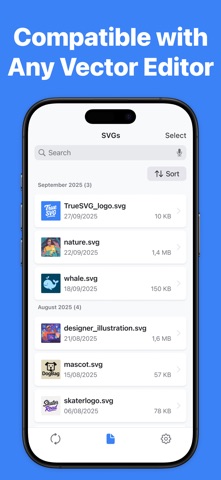
Screenshots



About
SVG Converter by TrueSVG Vectorize raster images into high-quality, easy to scale, SVG vector graphics with professional accuracy. This advanced AI-powered specialized model generates clean and easy to edit vector paths which fits perfectly into your modern design workflow. TrueSVG converts raster images to high-quality SVG format with precision and clean vector paths, perfect for logos, icons, and scalable graphics. - AI Model Features: ▶ Converts PNG, JPG, and WEBP images into SVG format while preserving visual fidelity and design intent ▶ Professional-grade optimized vector paths suitable for logos, icons, illustrations, and scalable graphics across all media sizes ▶ Vectorize files that work with Adobe Illustrator, Figma, Sketch, and other design tools ▶ Intelligent path optimization automatically creates clean, editable vector curves that maintain the essence of the original image while reducing file complexity ▶ Scalable graphics ensures your converted images remain crisp and clear at any resolution, from small icons to large prints - Made for designers, marketers and businesses who need to: ▶ Convert logos and branding elements to scalable vector format ▶ Prepare illustrations for print and digital media ▶ Build icon sets and graphic libraries ▶ Make images ready for responsive web design ▶ Build design systems with consistent vector assets - Raster image to convert to SVG format supported formats: ▶ PNG, JPG & WEBP. ▶ Maximum 5MB file ▶ Maximum 16MP resolution ▶ Max dimension 4096px ▶ Min dimension 256px Terms of service: https://www.apple.com/legal/internet-services/itunes/dev/stdeula/
What's new · 1.3.1
▶ Bug fixes and improvements.
Details