

Vicoa: Claude Code & Codex IDE
BetterBit · Developer Tools
Independent analytics for this App Store listing. AppTracker is not affiliated with BetterBit.
Chart standing · US
What changed · US
Listing changes AppTracker has observed for this app in this storefront — new versions, price moves, rating shifts, and store copy.
• Choose an existing session for an automation to run in, or keep a new session for each run • Task ids like VIC-42 show on your tasks, and search finds a task by its id • Filter automations by project • Home's project groups show each project's icon and hide sessions from archived projects • Bug fixes and improvements
Price & rating history · US
Reconstructed from the listing changes AppTracker has observed in this storefront. A field is charted once it has changed more than once, and each line starts at the value it moved from.
Average rating · ★ 4.27 now · 4 changes on record
Ratings breakdown · US
The star breakdown behind this app's rating in this storefront.
In-app purchases · US
What this app sells inside itself, grouped by kind and priced for this storefront.
Screenshots



Keywords this app targets
Search terms AppTracker associates with this app — estimates, not search volume. ❝ = in the app's title; a highlighted number is its current position for that term.
Similar apps
Competitors and close alternatives, as estimated by AppTracker.
 Omnara: Claude & Codex Mobile
Omnara, Inc.
2 shared topics · 2 shared title words
Omnara: Claude & Codex Mobile
Omnara, Inc.
2 shared topics · 2 shared title words
 Vibe Pocket
, LLC
2 shared topics
Vibe Pocket
Vibe Pocket, LLC
2 shared topics
 Visual Claude: Vibe Code
Diep Huu Kha
2 shared topics · 1 shared title word
Visual Claude: Vibe Code
Diep Huu Kha
2 shared topics · 1 shared title word
 Mobile IDE for Codex AI GPT
Uladzsislau Luchkouski
2 shared topics · 2 shared title words
Mobile IDE for Codex AI GPT
Uladzsislau Luchkouski
2 shared topics · 2 shared title words
 Vibe Code: AI Code Generator
Malik Hamza Khalid
2 shared topics · 1 shared title word
Vibe Code: AI Code Generator
Malik Hamza Khalid
2 shared topics · 1 shared title word
 Mobile IDE for Claude Code AI
Uladzsislau Luchkouski
1 shared topic · 2 shared title words
Mobile IDE for Claude Code AI
Uladzsislau Luchkouski
1 shared topic · 2 shared title words
 ServerCC - Claude Code & Codex
佳琳 刘
1 shared topic · 2 shared title words
ServerCC - Claude Code & Codex
佳琳 刘
1 shared topic · 2 shared title words
 Visual Code Editor - vCode
Devang Samirbhai Shah
2 shared topics
Visual Code Editor - vCode
Devang Samirbhai Shah
2 shared topics
About
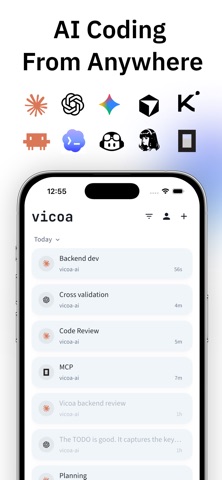
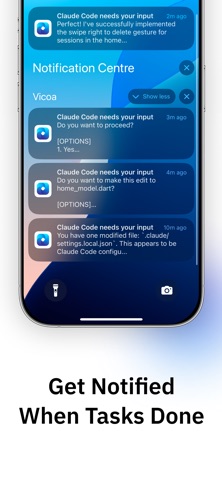
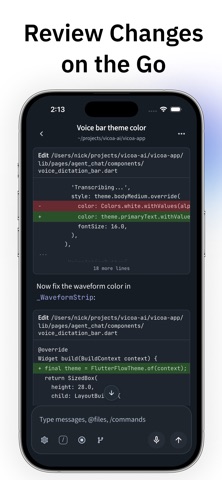
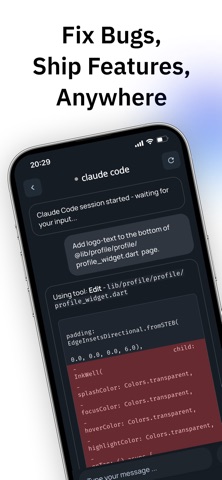
Vicoa (Vicoa Code Anywhere) is the best agentic IDE for running Claude Code, Codex, and other coding agents in parallel on any device. Start coding on your laptop, continue seamlessly on your phone or tablet, and never miss an important moment when your AI agent needs your input. Vicoa was built for developers who want to stay in flow even when they step away from their desk. Whether you’re waiting for a build, running a long task, or need to approve an agent’s next step, Vicoa keeps you connected. Key Features: • Continue Claude Code sessions across laptop, mobile, and tablet • Get instant alerts when your AI agent needs clarification or has finished a task • Pick up right where you left off, even if your laptop is running a long process • See live updates from your agent in real time • Simple setup – connect once and stay in sync How It Works: 1. Install the Vicoa CLI on your terminal 2. Sign in to authorize the terminal 3. Start a Claude Code session as usual and switch between devices at any time Perfect for developers who: • Step away from their desk but want to stay productive • Run long-running AI tasks that need occasional input • Work flexibly across laptop, tablet, and phone • Want to code from the couch, coffee shop, or on the go Vicoa is your companion for Claude Code and Codex – designed to keep you in control and your workflow uninterrupted, wherever you are. Download Vicoa and start vibe coding anywhere anytime! Terms of Use: https://vicoa.ai/terms Privacy Policy: https://vicoa.ai/privacy We value your feedback and suggestions. Connect with us: Email: hi@vicoa.ai
What's new · 1.7.15
• Choose an existing session for an automation to run in, or keep a new session for each run • Task ids like VIC-42 show on your tasks, and search finds a task by its id • Filter automations by project • Home's project groups show each project's icon and hide sessions from archived projects • Bug fixes and improvements
Details