

Chart standing · US
What changed · US
Listing changes AppTracker has observed for this app in this storefront — new versions, price moves, rating shifts, and store copy.
What's new in 1.07: - Shield setup is brand new: ready-made shields on illustrated cards, grouped by what you are after - A new shield type: activity. Your chosen apps stay closed until you hit your steps, a workout, mindful minutes or time in daylight - Cleaner editors everywhere: a clearer schedule bar, a big daily limit dial, quicker day picking - Practices can now count as mindful minutes in Apple Health, if you allow it
Screenshots
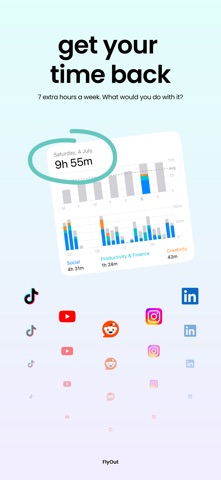


About
You don't open TikTok because you decided to. Your thumb does it on autopilot. FlyOut puts a pause between the urge and the tap, long enough to choose. FlyOut is a calm screen time app with a shield inside. Instead of a blunt lockout, you get a pause, a breath, and a 77-day plan that has a last day. HOW IT WORKS • Shield your apps. Block Instagram, TikTok or anything else on a schedule, on a daily time limit, or by location (home, office, gym). Built on Apple's Screen Time framework: no Shortcuts, about two minutes to set up. • Breathe before you decide. When a shield fires, a 90-second breathing practice meets the urge instead of a countdown. The urge peaks and passes. Then you choose: stay out, or open the app on purpose. • Start a focus session any time. A timed block for when you need to concentrate. It runs on the lock screen and ends itself when the time is up. • Follow the 77-day plan. One short step a day, unlocked each morning, nothing to binge. Reflections, practices and a private journal for what you notice. The research behind the length: habits go automatic at a median of 66 days (Lally et al., UCL), and 77 leaves room to miss a few. • Keep a streak three ways. A day counts if you did your plan day, wrote a line in your journal, or left your shields alone. Nothing to buy back, nothing to defend. MORNING TO NIGHT • Mornings start with you. Turn on morning protection and your apps wait until you have said where the day should go: the areas you care about, today's tasks, and the shields that hold them. • Evenings come back to you. After eight, a shield stops sending you to the feed and walks you to tonight's reflection instead. Two minutes a night, and the weekly recap shows what the week was actually made of. • Your first day, walked through. After setup, a short guided tour shows how one FlyOut day fits together, from the morning plan to the evening note. HONEST BY DESIGN • Your progress survives updates and reinstalls. Streaks sync and merge, they don't vanish. • Snooze exists. FlyOut never bricks your phone and never locks you out of what you actually need. • Real stats only: pickups caught and time inside apps. No inflated "time saved" math. • The way back into an app always costs the same thing, a breath, and never money. There is no strict mode to buy and no emergency unlock for sale. WHO IT'S FOR Adults whose phone use runs ahead of them: the 9pm couch scroll, the pickup with no message behind it, the "just five minutes" that isn't. If the built-in limits with their Ignore button have never once stopped you, you already know why the pause has to come with a breath. PRIVACY Blocking runs on-device through Apple's Family Controls. Your journal is private. We don't sell attention back to you. Get your evenings back. Your first shield is free: set it tonight and see what the pause gives you. Terms of Use: https://flyoutapp.com/terms Privacy Policy: https://flyoutapp.com/privacy-policy
What's new · 1.07
What's new in 1.07: - Shield setup is brand new: ready-made shields on illustrated cards, grouped by what you are after - A new shield type: activity. Your chosen apps stay closed until you hit your steps, a workout, mindful minutes or time in daylight - Cleaner editors everywhere: a clearer schedule bar, a big daily limit dial, quicker day picking - Practices can now count as mindful minutes in Apple Health, if you allow it
Details