

Metadata Remover – NoExif
Charles-Adrien Fournier · Photo & Video
Independent analytics for this App Store listing. AppTracker is not affiliated with Charles-Adrien Fournier.
Chart standing · US
What changed · US
Listing changes AppTracker has observed for this app in this storefront — new versions, price moves, rating shifts, and store copy.
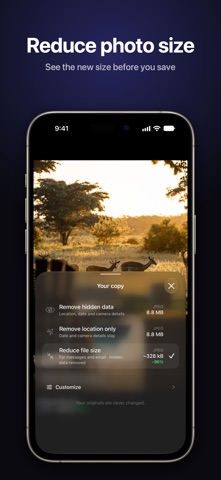
NoExif 2.0 is a full redesign. • Browse your photo library right in NoExif, then open one photo or select several • Pick your copy and see its format and size before you save: remove hidden data, remove location only, convert to JPEG or reduce file size • Target size is now a hard limit: the copy never exceeds the size you set • When photos can't be exported, NoExif says how many and lets you try again for just those • Photos cleaned from the share sheet keep their orientation • Removing the date now also removes the GPS date and time • The share sheet action shows the NoExif icon
Ratings breakdown · US
The star breakdown behind this app's rating in this storefront.
In-app purchases · US
What this app sells inside itself, grouped by kind and priced for this storefront.
Screenshots

About
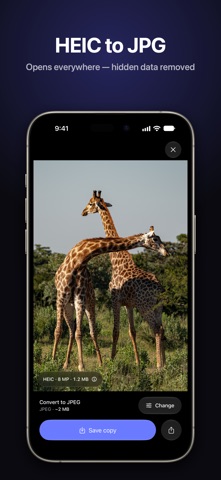
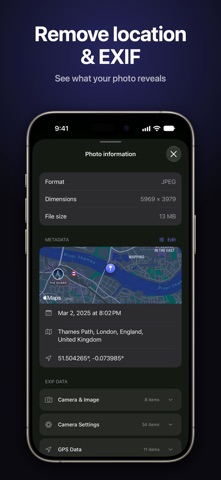
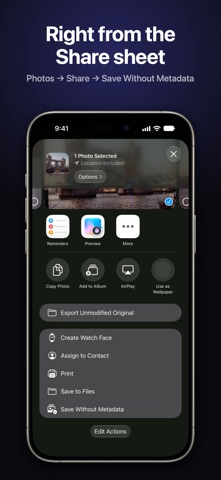
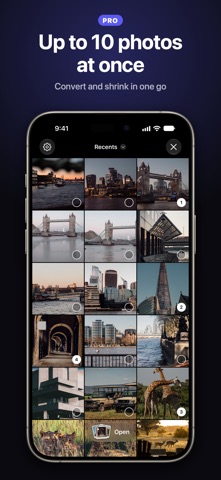
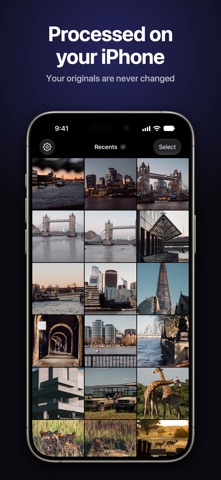
Smaller files, the right format, no hidden data. NoExif makes a copy of your photo that's ready to share: the right format, the right size, and none of the hidden data you didn't mean to send. Your originals are never changed, and photos are processed on your iPhone. PICK YOUR COPY • Remove hidden data: location, date and camera details • Remove location only • Convert to JPEG: the fix for "this file won't open" • Reduce file size, for messages and email See the format and size of each choice before you save. COMPRESS • Preview the new size before you save • Set a size limit (10 MB, 5 MB, 2 MB, 1 MB or your own) and the copy never exceeds it (Pro) • Pick your own quality with a slider (Pro) CONVERT • HEIC to JPG, plus JPG, PNG and HEIC in any direction • Resize while you convert: Original, 4K, 2K or 1K, in a single pass CLEAN • See what a photo reveals before you send it: map, address, date, camera • Choose what to remove and keep the rest (Pro) • Edit a photo's date and location on a map (Pro) YOUR LIBRARY, RIGHT IN THE APP Browse your albums, open a photo, or select up to 10 and export them in one go (Pro). STRAIGHT FROM THE SHARE SHEET Select photos in Photos, tap Share, choose Save Without Metadata. Clean, convert and compress without leaving the app you're in. PRIVATE BY DESIGN NoExif cleans, converts, and compresses photos on your iPhone. Photo files are not uploaded for processing. When a photo contains GPS coordinates, Apple’s location service may be used to show an address. Usage analytics and purchase services may use the network. COMMON QUESTIONS • How do I convert HEIC photos to JPG on iPhone? Open them in NoExif, or share them from Photos, and choose Convert to JPEG. • How do I remove the location from a photo before sending it? Choose Remove location only, or Remove hidden data to also remove the date and camera details. • How do I make a photo small enough for an email or an upload form? Choose Reduce file size, or set a size limit with Pro. GO PRO Unlimited photos, several photos at once, exact quality and size, date and location editing, and your own choice of what to remove. Weekly, yearly, or a one-time Lifetime purchase. Perfect for: email attachments that bounce, marketplace listings, upload forms with size limits, social posts, résumés and portfolios, and travel photos you'd rather not geotag. ---- Privacy policy: https://cafournier.com/noexif/privacypolicy Terms of use: https://cafournier.com/noexif/terms
What's new · 2.0.0
NoExif 2.0 is a full redesign. • Browse your photo library right in NoExif, then open one photo or select several • Pick your copy and see its format and size before you save: remove hidden data, remove location only, convert to JPEG or reduce file size • Target size is now a hard limit: the copy never exceeds the size you set • When photos can't be exported, NoExif says how many and lets you try again for just those • Photos cleaned from the share sheet keep their orientation • Removing the date now also removes the GPS date and time • The share sheet action shows the NoExif icon
Details