

Bubble Level & Angle Finder
ANDRES FELIPE SARRAZOLA VELEZ · Utilities
Independent analytics for this App Store listing. AppTracker is not affiliated with ANDRES FELIPE SARRAZOLA VELEZ.
Chart standing · US
What changed · US
Listing changes AppTracker has observed for this app in this storefront — new versions, price moves, rating shifts, and store copy.
Price & rating history · US
Reconstructed from the listing changes AppTracker has observed in this storefront. A field is charted once it has changed more than once, and each line starts at the value it moved from.
Average rating · ★ 4.62 now · 2 changes on record
Ratings breakdown · US
The star breakdown behind this app's rating in this storefront.
In-app purchases · US
What this app sells inside itself, grouped by kind and priced for this storefront.
Screenshots


About
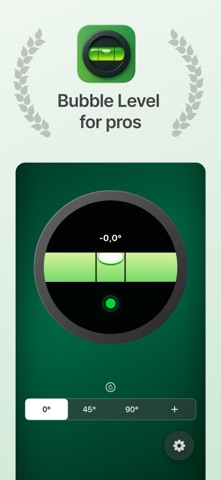
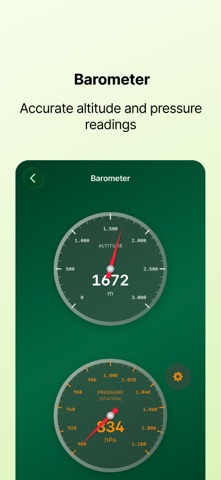
Turn your iPhone into a professional spirit level and angle meter that just works. The Bubble Level starts instantly, locks onto your surface, and guides you to perfect level with precise digital readouts, haptic feedback, and an optional audible tone when you hit your target. Why it’s better Auto-level, zero fuss: Open the app and it’s ready. No clutter—just a clean bubble and a big angle display. Pro accuracy controls: Use the built-in calibration to compensate for cases, magnets, or device variance. Target the right angle: Snap to 0°, 45°, 90°, or set your own custom angle—ideal for miter cuts, slopes, and repeatable installs. Feel the perfect level: Haptic feedback (and optional sound) confirms when you’re within your chosen tolerance. Adjustable tolerance: Fine-tune sensitivity to suit quick DIY jobs or more exacting carpentry. Clear, high-contrast UI: Easy to read at a glance—on site, in the workshop, or on a ladder. Perfect for Hanging pictures, shelves, and TVs Leveling countertops, appliances, and tiles Woodworking, carpentry, and DIY Setting tripods, camera rigs, and lighting Leveling RV/camper/tent at the campsite How it works Place your iPhone on (or against) the surface you want to level. Choose a target—0°, 45°, 90°, or Custom—in Settings. Slowly adjust until the bubble centers; you’ll feel a haptic tap (and hear a tone if enabled) when you’re within your tolerance. Use Calibration in Settings for best accuracy before critical tasks. Built for pros, simple for everyone Professional-grade control with calibration, custom angles, and tolerance settings. Fast and intuitive for quick checks around the home or job site. Works fully offline; no sign-ups, no distractions. Terms: https://www.apple.com/legal/internet-services/itunes/dev/stdeula/
What's new · 1.5.0
Accuracy and stability improvements. Thanks for using Bubble Level!
Details