

Mėasuring Tape
FOOD WAY SH.P.K. · Utilities
Independent analytics for this App Store listing. AppTracker is not affiliated with FOOD WAY SH.P.K.
Chart standing · US
What changed · US
Listing changes AppTracker has observed for this app in this storefront — new versions, price moves, rating shifts, and store copy.
Price & rating history · US
Reconstructed from the listing changes AppTracker has observed in this storefront. A field is charted once it has changed more than once, and each line starts at the value it moved from.
Average rating · ★ 3.90 now · 2 changes on record
Ratings breakdown · US
The star breakdown behind this app's rating in this storefront.
In-app purchases · US
What this app sells inside itself, grouped by kind and priced for this storefront.
Screenshots


About
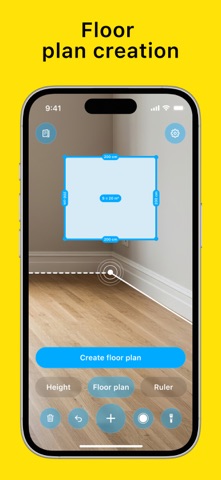
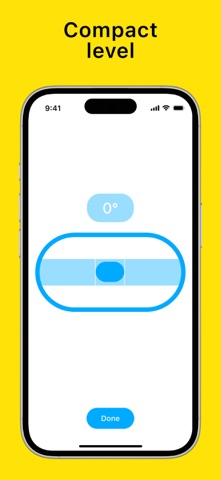
AR Ruler: Tape Measure – Complete Measurement Tools Turn your phone into a smart toolkit! AR Ruler: Tape Measure brings a full set of measuring instruments right into your pocket, making it simple to measure length, height, area, and even create floor plans! Tools included: 1) Smart Ruler – Select a starting point in space with your phone’s camera, then mark the end point to see the distance. Multiple measurements can be placed on one screen for easy comparison. 2) Height Measurement – Set a base point and move upward to instantly calculate the height of an object. 3) Area Calculator – Place three or more points to form a shape and get both the perimeter and area. For rectangular objects, the app can automatically detect and display the correct shape. 4) Floor Plan Creator – Measure wall lengths from corner to corner to build a simple room layout with dimensions and area. Save the result as an image or share it. 5) Screen Ruler – Two rulers in centimeters and inches appear along the edges of the screen, allowing you to measure small items directly. 6) Level Tool – A virtual spirit level with a moving bubble and tilt percentage to check balance and alignment. Extra Features: • Screenshot Capture – Save your measurements as images in the gallery or share them. • Tutorial – Clear step by step instructions with tips for accurate measuring. • Settings – Switch between metric and imperial units (m/inch). Note: Only the Smart Ruler tool is available in the basic version of the app. Access to all other tools requires a subscription. AR Ruler: Tape Measure is the complete measuring toolkit for everyday tasks, home projects, and professional use — always at hand. Privacy Policy: https://docs.google.com/document/d/1ARqQKedM8HeqnD3vsnwv-P5QjtIxKHYxT9YamYS87DQ/edit?usp=sharing Term of Use: https://docs.google.com/document/d/1xzVf5pjWdD1D6TD8xXvbWYm46Asqgf-VXmVyKduCjuw/edit?usp=sharing
What's new · 1.0.9
Added new tools: Angle Finder and Protractor to measure with precision
Details