

Screen Mirroring · Cast TV
Mikhail Tarasov · Utilities
Independent analytics for this App Store listing. AppTracker is not affiliated with Mikhail Tarasov.
Chart standing · US
What changed · US
Listing changes AppTracker has observed for this app in this storefront — new versions, price moves, rating shifts, and store copy.
If you have any problems or suggestions, please contact us at assistantpers163@gmail.com. What's new: Fixed a bug starting duplication on chromecast Tv
Price & rating history · US
Reconstructed from the listing changes AppTracker has observed in this storefront. A field is charted once it has changed more than once, and each line starts at the value it moved from.
Average rating · ★ 3.22 now · 20 changes on record
Ratings breakdown · US
The star breakdown behind this app's rating in this storefront.
In-app purchases · US
What this app sells inside itself, grouped by kind and priced for this storefront.
Screenshots


About
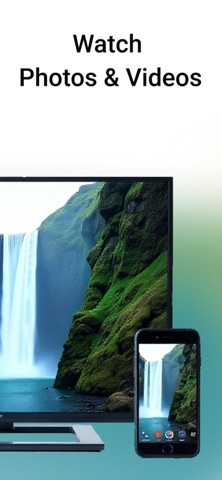
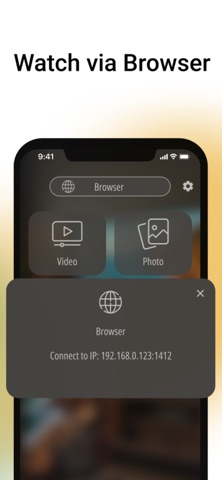
Turn your smartphone into a powerful entertainment hub! Cast TV lets you easily stream any content to your TV's big screen. The app works with most popular Google Chromecast devices. Unique Cast TV features: • Video and photo streaming: Watch your personal media libraries and online videos on the big screen in high quality. • Local media server – our unique feature! Simply share content via a local URL and open it in any browser on your TV, laptop, or tablet. Perfect for quickly sharing photos and videos without complicated setup. • High image quality: The app strives to stream video in the best available quality for smooth and sharp playback. • Simple and intuitive interface: Start streaming with just a few taps. No clutter — just results. • Local file support: Easily stream videos and photos stored on your device. Download Cast TV today and discover a new way to share content with family and friends! _______ PRO Version: This application can be downloaded for free. You will be able to use basic features for free, including: - Screen mirroring to TV - Streaming photos and videos to TV - Basic quality streaming - Browser connection method You can also subscribe to the app to get access to additional premium features: - High quality streaming - Unlimited broadcast time - No ads - All functions are available The subscription is automatically renewed and paid weekly. You can also purchase a purchase FOREVER to always have access to the premium functions. The cost of a weekly subscription is up to $3.99 The cost of buying forever is up to $39.99 Trial period: 3 days free, then per week Do you have a question or a suggestion? Write to us assistantpers163@gmail.com Privacy policy: https://person-assistant.com/cast-tv-chromecast/policy.html Terms of use: https://person-assistant.com/cast-tv-chromecast/terms_of_use.html
What's new · 1.4.18
If you have any problems or suggestions, please contact us at assistantpers163@gmail.com. What's new: Fixed a bug starting duplication on chromecast Tv
Details