

ADFastDNS
Raffaele De Lorenzo · Utilities
Independent analytics for this App Store listing. AppTracker is not affiliated with Raffaele De Lorenzo.
Chart standing · US
What changed · US
Listing changes AppTracker has observed for this app in this storefront — new versions, price moves, rating shifts, and store copy.
- Fixed a bug that in some cases would not honor a domain loaded in whitelist - When you add new domains to your blocked or allow lists (including updating the external list), the iOS DNS service (mDNSResponder) should now automatically clear its cache, although this may be not consistent as Apple does not provide an API to force that operation. Previously, newly listed domains might in some cases not taking effect until the cache expired or the VPN was restarted. Since ADFastDNS cannot directly control the app-level or system DNS cache, please force quit the affected app or restart the VPN if you still experience issues. - We have added a new toggle in settings to force ADFastDNS to use exclusively the Bloom Filters as filtering rules bypassing the Database lookup for domain blocking rules. Bugs Fixes and Performance Improvements
Ratings breakdown · US
The star breakdown behind this app's rating in this storefront.
Screenshots
About
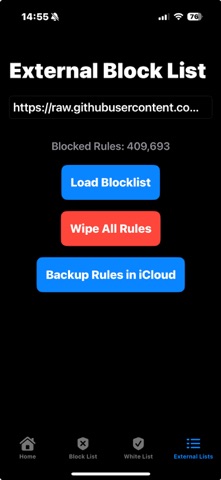
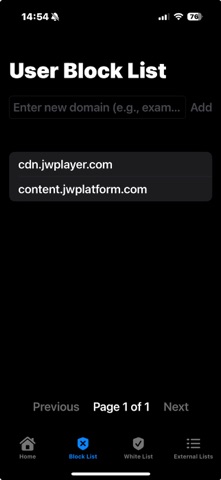
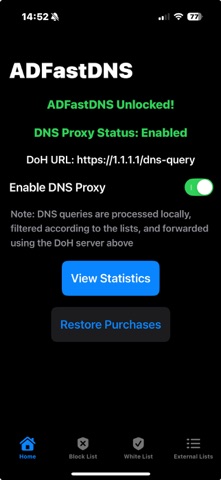
ADFastDNS – DNS Proxy, Ad Blocker & Advanced Threat Detection The only iOS app combining blazing-fast DNS acceleration, system-wide ad blocking, and professional-grade network threat detection processed 100% on your device. No accounts. No logs. No compromise. Security shouldn't be complex. Choose your protection level in one tap right from your Home screen: - Minimum: DNS filtering with curated blocklists. - Medium: Adds Anti-DPI to defeat deep packet inspection. - Max: Adds full on-device intrusion detection (HIDS) with JA4 fingerprinting. - Prefer full control? Custom settings remain fully accessible for advanced users. Host Intrusion Detection System (HIDS) ADFastDNS analyzes network traffic in real time without decrypting private content: - Beacon Guard: Identifies malware and spyware by detecting persistent connection patterns that evade standard consumer tools. - TLS & Hello Packet Anomaly Detection: Uses professional-grade JA4 fingerprinting to score encrypted connections and block malicious payloads before data transmits. - IP & Geo Firewall: Blacklist specific IPs or set blocking rules per country. - Advanced Exploitation Defense: Native protection against DNS Tunneling, DNS Rebinding, SNI Spoofing, and DNS Data Exfiltration. Advanced Anti-DPI Engine - Packet Fragmentation: Intelligently splits TLS and QUIC Crypto ClientHello packets. - Adaptive Connection Tuning: Automatically learns whether packet splitting helps or hurts reliability per connection (for TCP/TLS and QUIC connections), adapting locally without external servers. - Traffic Shaping: Mimics natural timing patterns to make proxy traffic statistically harder to detect and throttle. Core Features - Next-Gen Protocols: Supports DNS over HTTPS (DoH) & DNS over QUIC (DoQ / HTTP/3). - Custom DNSoH Endpoints: Compatible with Cloudflare, Google, AdGuard, NextDNS, or any custom URL. - System-Wide Blocking: Stop ads and trackers using your favorite filter lists. You can temporarily disable the ADBlocking using the toggle in the widget (no need to open the app) - Performance Optimization: On-device DNS cache for instant responses, per-domain proxy routing, and automatic Wi-Fi whitelisting. - Network Tools: Local DNS resolver (hosts file), QUIC Connection Migration (RFC 9000), and real-time threat statistics. - Privacy & Ecosystem: Configure 2 DNSoH endpoints working together for maximum privacy. Zero data collection, and the ability to extend filtering to other network devices via SOCKS5 proxy. Why ADFastDNS? Unlike heavy VPNs that drain your battery, ADFastDNS operates seamlessly at the transport layer making it faster, lighter, and virtually invisible. It brings enterprise-grade network security straight into the iOS sandbox. Try free for 7 days, unlock forever with a one-time purchase. Take back control of your network today.
What's new · 5.1.9
- Fixed a bug that in some cases would not honor a domain loaded in whitelist - When you add new domains to your blocked or allow lists (including updating the external list), the iOS DNS service (mDNSResponder) should now automatically clear its cache, although this may be not consistent as Apple does not provide an API to force that operation. Previously, newly listed domains might in some cases not taking effect until the cache expired or the VPN was restarted. Since ADFastDNS cannot directly control the app-level or system DNS cache, please force quit the affected app or restart the VPN if you still experience issues. - We have added a new toggle in settings to force ADFastDNS to use exclusively the Bloom Filters as filtering rules bypassing the Database lookup for domain blocking rules. Bugs Fixes and Performance Improvements
Details