

Convert Photo To PDF: PicToPDF
Nicolas Gustavo Melian · Utilities
Independent analytics for this App Store listing. AppTracker is not affiliated with Nicolas Gustavo Melian.
Chart standing · US
What changed · US
Listing changes AppTracker has observed for this app in this storefront — new versions, price moves, rating shifts, and store copy.
bug fixes.
Screenshots

About
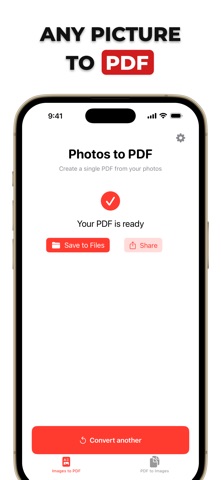
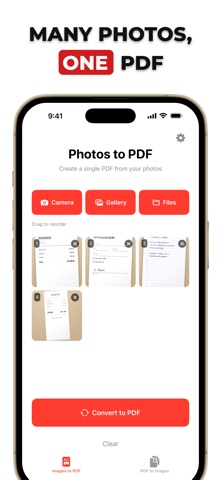
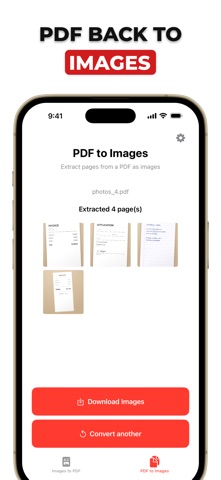
PicToPDF — Turn photos into polished PDFs in seconds PicToPDF is the fast, simple way to create high-quality PDFs from your images. Whether it's receipts, notes, assignments, or photo collections, convert in a couple of taps and share anywhere. Works entirely on-device for speed and privacy. - Convert photos to PDF instantly (JPG, PNG, HEIC) - Combine multiple pictures into a single, clean PDF - Import from Camera, Photos, or Files - Extract pages from a PDF as images (PDF to Images) - Save to Files or share via Mail, Messages, Drive, and more - Beautiful, simple design with Dark Mode support - Private by design: processing happens on your device How it works - Pick images from your gallery, camera, or files - Tap "Convert to PDF" to generate a crisp document - Save to Files or share with one tap Need the reverse? Use "PDF to Images" to export each page as a photo. Why PicToPDF? - Fast, reliable image to PDF converter - Natural results that look great when printed or shared - No accounts. No uploading. Your content stays on your device - Try your first conversion for free Great for: Scanning receipts and documents, sending homework or reports, archiving photo sets as a single PDF, converting JPG to PDF, PNG to PDF, and picture to PDF. PicToPDF makes "photos to PDF" and "image to PDF" effortless — perfect for quick sharing, tidy archives, and professional results. _________________ Terms of use: https://www.apple.com/legal/internet-services/itunes/dev/stdeula/ Privacy Policy: https://meliann.notion.site/Privacy-Policy-for-PicToPDF-24d476f8f0418028a2c5d0f65b5622fd
What's new · 1.0.2
bug fixes.
Details